
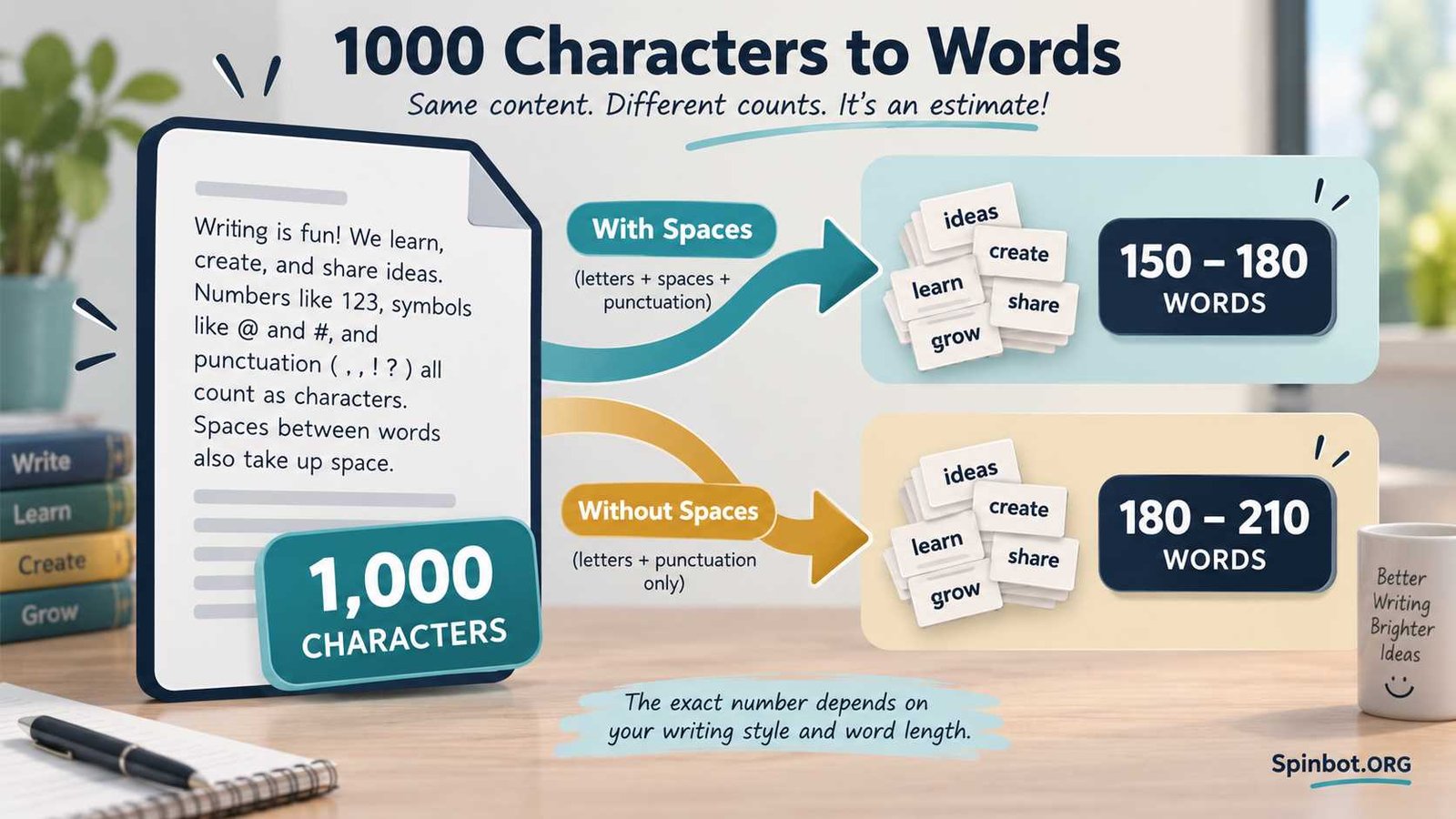
If the character count does not include spaces, 1,000 characters may be closer to 180 to 210 words.
There is no exact conversion because every piece of writing is different. Short words such as “I,” “we,” and “the” use fewer characters. Longer words such as “communication” or “development” use many more.
For quick planning, these numbers work well:
| Character count | Estimated word count |
|---|---|
| 1,000 characters with spaces | 150–180 words |
| 1,000 characters without spaces | 180–210 words |
| Short, simple writing | Often toward the higher end |
| Long or technical writing | Often toward the lower end |
A simple shortcut is to think of 1,000 characters as roughly 170 words when spaces count.
How Many Words Is 1,000 Characters?
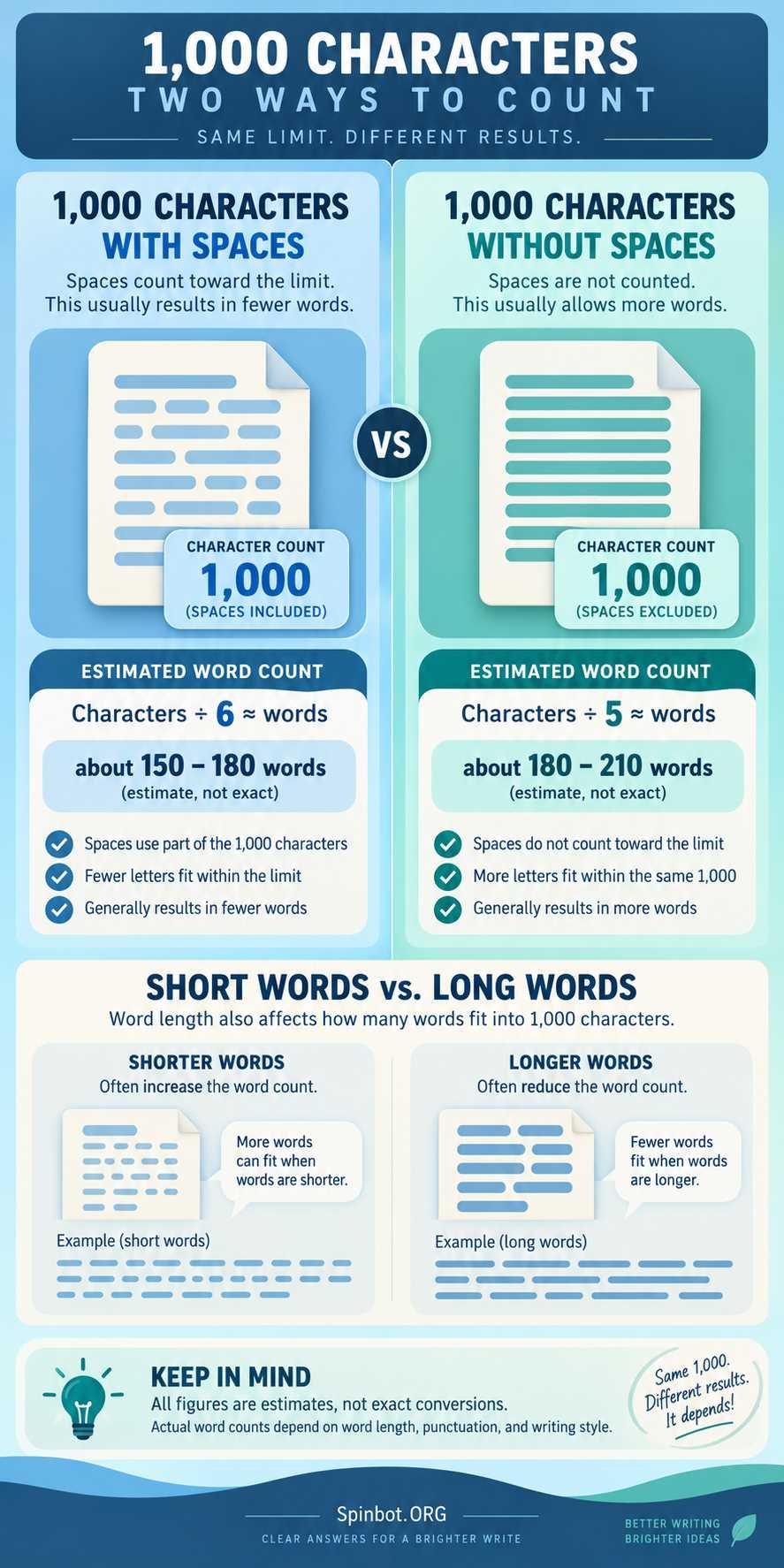
For normal English writing, 1,000 characters is usually around 150 to 180 words if spaces count toward the character limit.
One easy way to estimate it is to allow around six characters for each word. This rough figure includes the letters in the word plus the space that normally follows it.
The calculation looks like this:
1,000 ÷ 6 = about 167 words
That does not mean every 1,000-character passage contains exactly 167 words. It is only a planning estimate.
Consider these two sentences:
We went to the park on a hot day.
Now compare that with a sentence containing terms such as “environmental,” “communication,” and “responsibility.”
Both may contain a similar number of words, but the second sentence uses far more characters. As a result, longer words fill a 1,000-character limit faster.
Why 1,000 Characters Does Not Equal an Exact Number of Words
A character and a word measure two different things.
A word count tells you how many individual words appear in your text.
A character count measures individual characters such as:
- Letters
- Numbers
- Punctuation marks
- Symbols
- Spaces, when the counter includes them
This is why the answer to 1000 characters is how many words can only be an estimate until you have the actual text.
Google Docs makes this difference especially clear. Its Word Count feature can display words, characters, and characters without spaces as separate measurements.
Your writing style changes the result too.
For example, conversational writing often uses shorter words:
You can use this tool to check your text.
Academic or technical writing may use longer terms:
Researchers evaluated organizational communication methods.
The second type of writing consumes more characters per word.
Punctuation matters as well. Commas, apostrophes, quotation marks, numbers, and other symbols all take up character space in systems that count them.
1000 Characters With Spaces to Words
When someone gives you a 1,000-character limit, the first thing to check is whether spaces are included.
If spaces count, a practical estimate is:
1,000 characters with spaces = about 150 to 180 words
Around 165 to 170 words is a useful middle estimate for ordinary English prose.
Why does counting spaces reduce the number of words?
Imagine a passage containing 170 words. There will normally be spaces between most of those words. Those spaces use part of your 1,000-character allowance.
For a simple estimate, assume that each word plus its following space uses around six characters:
1,000 ÷ 6 ≈ 167
Again, this is not a rule. A passage full of short words could fit more words, while writing with longer vocabulary could fit fewer.
A published character-count guide similarly places 1,000 characters with spaces at roughly 150 to 180 words, which makes this range useful for planning rather than exact measurement.
1000 Characters Without Spaces to Words
The answer changes when spaces are excluded.
A reasonable estimate is:
1,000 characters without spaces = about 180 to 210 words
A convenient shortcut is around 200 words.
Suppose you use five letters as a rough average for each word:
1,000 ÷ 5 = 200 words
Because the spaces between those words are not using any of the 1,000 characters in this calculation, more words can fit into the same character total.
This is why you should never assume that “1,000 characters” means the same thing on every platform.
Google Docs, for example, reports both characters and characters without spaces, allowing you to see the difference directly.
How to Convert Characters to Words
You can get a quick estimate without using a character-to-word calculator.
When spaces are included
Use:
Characters ÷ 6 = approximate words
For 1,000 characters:
1,000 ÷ 6 ≈ 167 words
For 2,000 characters:
2,000 ÷ 6 ≈ 333 words
For 500 characters:
500 ÷ 6 ≈ 83 words
When spaces are not included
You can use roughly:
Characters ÷ 5 = approximate words
For 1,000 characters:
1,000 ÷ 5 = 200 words
These formulas are useful when you are planning a draft before writing it. They should not replace an actual word counter when you must meet a strict submission limit.
What Does 1,000 Characters Look Like?
One thousand characters is enough for several short paragraphs or a compact piece of writing, but its exact appearance depends heavily on sentence and word length.
Imagine two writers are both limited to 1,000 characters.
The first uses short, direct sentences:
Write clearly. Keep each idea simple. Use short words when they work.
The second uses longer vocabulary and more detailed sentences.
Even if both writers communicate the same basic idea, the second writer may reach the character limit sooner.
That matters when writing:
- Social media content
- Application responses
- Online forms
- Product descriptions
- Short biographies
- Comments and messages
- Assignment responses with character limits
When a platform says “maximum 1,000 characters,” treat the character number as the real limit. Do not rely only on a word estimate.
Character Count vs. Word Count
The easiest way to understand the difference is to look at a simple phrase:
Good writing matters.
It contains three words, but many more individual characters.
Each letter counts as a character. The space between words may count too. The period can also count as a character.
That is why someone asking how many words is a thousand characters is really asking for an approximation based on normal writing patterns.
The reverse is also true. Two passages containing exactly 100 words can have very different character totals if one uses much longer words.
Character limits measure space. Word limits measure words.
Knowing which one you are dealing with can save you from cutting a response at the last minute.
How to Get the Exact Word and Character Count
An estimate is fine when you are planning. Once your text is written, use the actual count.
Google Docs
On a computer, open your document and go to:
Tools → Word count
Google Docs can display:
- Pages
- Words
- Characters
- Characters without spaces
You can also choose to display the word count while you type. Google confirms these options in its official Docs help documentation.
This is especially useful when a form says “1,000 characters excluding spaces” because you can check that figure separately.
Microsoft Word
Microsoft Word also tracks document statistics while you write. Its Word Count feature can show information including words, pages, paragraphs, lines, and characters.
If only part of your document needs to meet the limit, select that section before checking its count.
The exact counting method of the final website or application still matters most. If you are pasting text into an online form, check the platform’s own counter before submitting.
The Number to Remember
If you just need a quick 1000 characters to words conversion, remember this:
1,000 characters with spaces is usually about 150 to 180 words.
1,000 characters without spaces is often about 180 to 210 words.
For fast planning, use approximately 170 words with spaces or 200 words without spaces.
Those numbers are estimates, not fixed conversions. Word length, punctuation, numbers, symbols, and writing style can all change the result.
When the limit really matters, write your text first and check the exact character count in Google Docs, Microsoft Word, or the platform where you plan to submit it.

Academic editor turned AI copy pro, Sarah-Jane fuses research precision with smart storytelling. She covers academic writing, research, citation, plagiarism, copyright, grammar, editing, and publishing.