
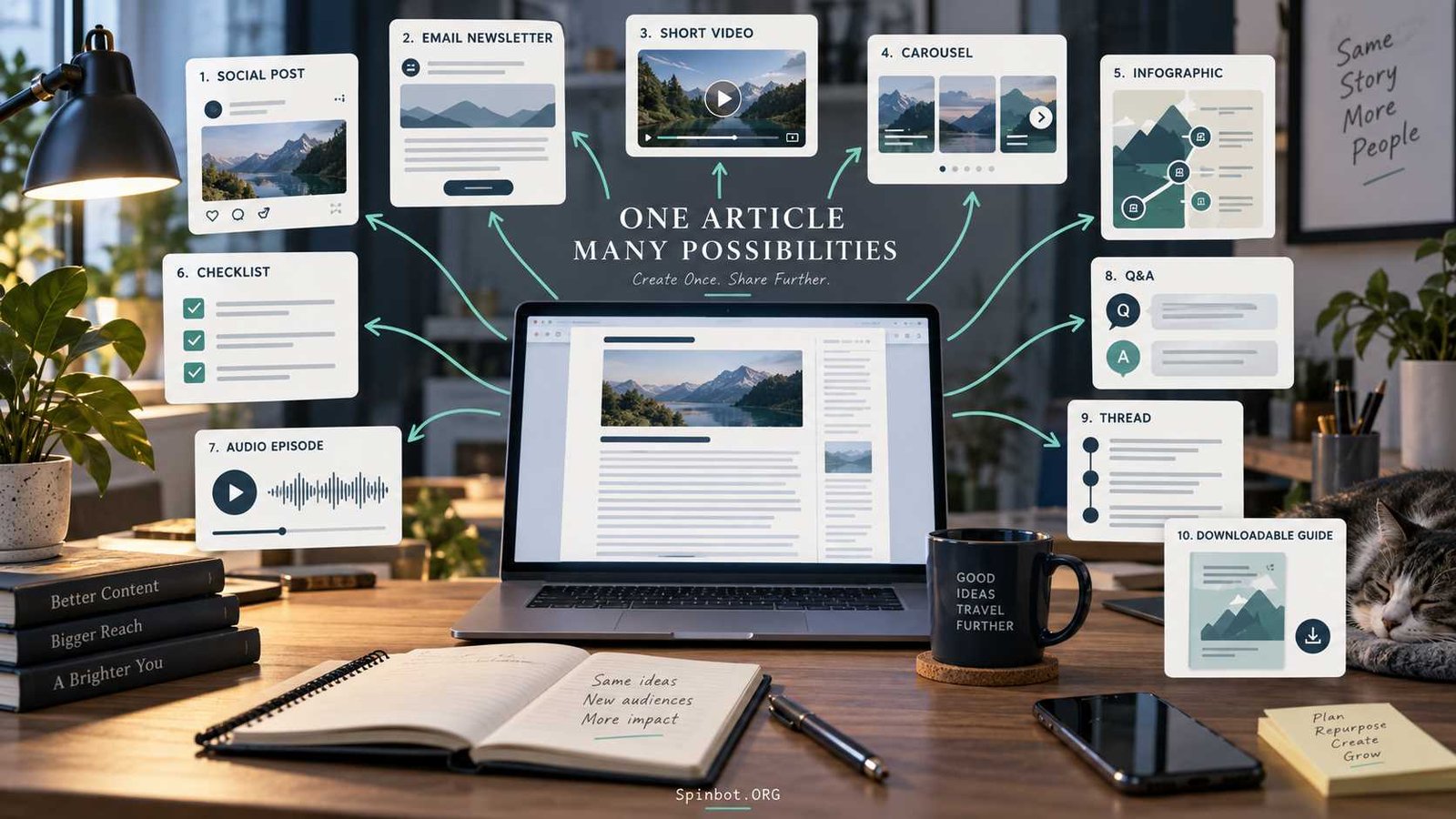
A useful article may contain enough ideas for a week or even a month of social posts, emails, videos, graphics, and other content. The challenge is not finding more ideas. It is learning how to pull the best ideas out of what you have already created.
That is the point of content repurposing.
Content repurposing means taking the core ideas from existing content and adapting them into different formats for different audiences or platforms. It is different from simply copying the same post everywhere. Buffer makes this distinction clearly: repurposing changes the format or presentation, while crossposting mainly shares the same content somewhere else.
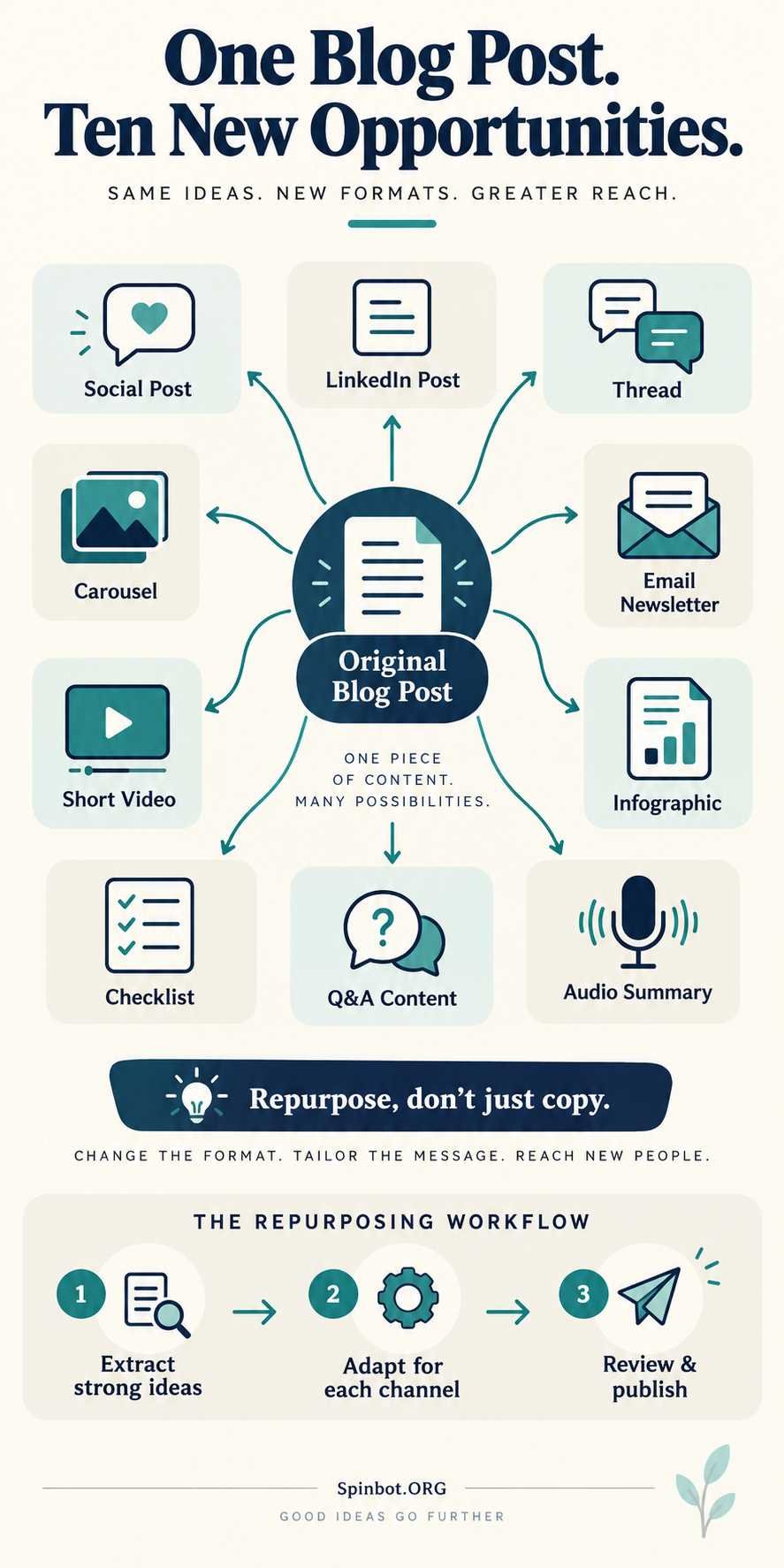
If you want to turn one post into 10 content pieces, the process is simpler than it sounds. Start with one strong article, break it into useful parts, then reshape those parts around how people consume content on each channel.
One Good Post Can Become Much More Than a Blog Article
Think of your original post as source material rather than a finished, one-use product.
A 2,000-word article might contain:
- one main argument
- five useful tips
- three examples
- several questions
- a checklist
- one process
- a few strong statistics
- an opinion worth discussing
Each of those elements can become something new.
Semrush defines content repurposing as adapting existing content for other formats or platforms. Its examples include turning a blog article into a video or converting another long-form asset into a downloadable resource.
The idea matters because your audience does not consume everything in the same way. One person may read your full article. Another may notice a short LinkedIn post. Someone else may watch a 45-second video but never open a 2,000-word guide.
You are not creating ten unrelated ideas. You are giving one useful idea ten different doors through which people can discover it.
Start With a Post Worth Repurposing
Not every article deserves ten new versions.
Start with content that has already shown some value. Semrush recommends looking at high-performing evergreen content because it has a longer useful life and has already demonstrated audience interest.
A good repurposing candidate usually has at least one of these qualities:
It answers a recurring question. It explains a process people regularly need. It has attracted search traffic, links, shares, comments, or conversions. It contains ideas that are still useful months after publication. Or it covers a topic that remains central to your business or website.
Older posts can work too, but check them first.
A four-year-old article may contain outdated statistics, broken links, old screenshots, discontinued tools, or advice that no longer applies. Repurposing incorrect information only multiplies the problem.
Before building new content from an old post, refresh the source where necessary.
That does not mean changing the publication date just to make an article look new. Google specifically warns against changing dates when the underlying content has not been substantially updated. It also recommends creating content for people rather than producing large amounts of material mainly to attract search traffic.
Extract the Building Blocks Before Changing Formats
The biggest mistake in content repurposing is starting with the destination.
You think, “I need a LinkedIn post,” then stare at the article wondering what to write.
Reverse the process.
Read the source article once and extract its strongest building blocks.
Look for the central idea first. What is the one thing the reader should understand after finishing the article?
Then identify the strongest supporting parts: steps, examples, questions, mistakes, comparisons, statistics, definitions, tips, objections, and takeaways.
Imagine you published a guide called “How to Write Better Blog Introductions.”
The article might contain these ideas:
A strong introduction should confirm that the reader is in the right place. Long background sections often delay the answer. A good opening can begin with the problem. Examples are more useful than vague advice. Writers should usually edit the introduction after completing the rest of the article.
That one article already contains several standalone content ideas.
Now you can match each idea with an appropriate format.
How to Turn One Post Into 10 Content Pieces
Here is a practical model you can use with almost any strong blog article.
1. Create a Standalone Social Media Post
Take one useful point from the article and make it complete enough to stand on its own.
Do not write:
“Here are three tips from our latest blog post. Click to read more.”
That gives the reader very little value.
Instead, teach one useful lesson directly in the post. You can still link to the longer article for people who want more detail.
For example, if your article contains seven ways to improve writing productivity, turn the strongest tip into a short post explaining the problem, the solution, and one practical action.
The social post should be useful even when nobody clicks.
2. Turn the Main Lesson Into a LinkedIn Post
LinkedIn gives you more room to explain an idea.
Take the main argument from your blog post and rebuild it around one professional observation, mistake, process, or lesson.
Do not simply paste the first five paragraphs of your article.
The blog reader and LinkedIn reader are in different environments. A blog post can build an argument slowly. A feed post usually needs to establish relevance much faster.
Keep the central idea, but rewrite the opening, examples, pacing, and ending for the platform.
This is the difference between repurposing and copying.
3. Break the Article Into a Short Thread
Articles that contain steps, myths, lessons, or mistakes often convert naturally into threads.
Start with the main promise or problem. Then give each important idea enough context to make sense separately.
A post called “Seven Editing Mistakes That Make Writing Hard to Read” could become a thread where each post explains one mistake and gives a quick correction.
You do not need to squeeze the entire article into the thread.
The goal is to create a useful shorter version, not a compressed duplicate.
4. Build a Carousel From the Main Steps
Visual slides work well when the original content has a sequence or clearly separated ideas.
Suppose your article explains a six-step research workflow.
You might use:
A title slide that states the problem, six slides explaining the steps, and one final slide summarizing the workflow.
Keep each slide focused.
A carousel should not look like an article divided into screenshots. Shorten sentences. Remove side explanations. Highlight the information people need to understand the point quickly.
Buffer’s current repurposing guide gives examples of converting blog content into formats such as Instagram carousels and social threads, illustrating how one long-form source can feed several platform-specific assets.
5. Rewrite It as an Email Newsletter
A blog post and an email can discuss the same idea without sounding identical.
Instead of summarizing every section, choose one strong angle.
For example:
Your article may be “12 Ways to Become a Better Freelance Writer.”
Your email could focus only on “The Freelance Writing Habit That Saves Me the Most Editing Time.”
Explain that idea, add a short example, then link readers to the complete guide if they want all 12 techniques.
This gives subscribers something useful inside their inbox rather than using the email only as an advertisement for the blog.
6. Create a Short Video Script
Look for one concept you can explain in roughly 30 to 90 seconds.
A useful short video usually needs a clear opening, one main lesson, a small example, and a takeaway.
Suppose your article explains keyword research.
Instead of attempting to explain the entire process in one video, create a short script around one question:
“Why is search volume alone a bad way to choose keywords?”
That becomes a focused video.
Then another section of the same article can become your next video.
HubSpot’s current content-repurposing tools reflect this multi-format approach, allowing source content to be adapted into different assets rather than requiring creators to start every piece from zero.
7. Turn the Key Points Into an Infographic
Some information becomes easier to understand when readers can see relationships.
Infographics work particularly well for:
processes, timelines, comparisons, frameworks, checklists, statistics, and groups of related ideas.
A blog post about editing, for example, might become a simple visual workflow:
Draft → structural edit → clarity edit → grammar check → proofread → publish.
Do not try to fit 2,000 words onto one graphic. The value of an infographic comes from reducing information to its clearest visual form.
8. Make a Checklist or Cheat Sheet
If your article tells readers what to do, turn those actions into something they can use while working.
A guide to publishing a blog post could become a pre-publish checklist covering title, introduction, headings, links, images, proofreading, metadata, and final preview.
This new asset serves a different job from the article.
The article teaches.
The checklist helps the reader act.
That distinction is what makes repurposed content genuinely useful rather than repetitive.
9. Turn Reader Questions Into Q&A Content
Most useful articles answer several questions, even when those questions are not written as headings.
Pull them out.
For example, an article about paraphrasing might answer questions such as:
When should you paraphrase instead of quote? Do paraphrased ideas need citations? How much should the wording change? Can you keep technical terms?
Each question can become a short social post, video, newsletter section, or Q&A card.
Reader comments, support emails, search queries, and social replies can also show you which questions deserve their own pieces.
10. Create an Audio or Podcast-Style Summary
Some readers would rather listen than read.
Turn the central argument into a short audio script or podcast-style explanation.
Do not read the article word for word.
Rewrite it for speech.
Written content can contain long paragraphs, links, tables, and visual examples. Spoken content needs shorter sentences, clearer transitions, and enough explanation for someone who cannot see the page.
HubSpot specifically gives the example of turning a blog post into a podcast episode for people who prefer audio.
That is the larger principle behind all ten formats: keep the knowledge, but redesign the delivery.
Don’t Copy and Paste the Same Content Everywhere
Content repurposing becomes weak when “repurpose” means “paste.”
The same paragraph may technically fit on your blog, LinkedIn, Facebook, email, and a video script. That does not mean it works equally well in all five places.
Each format creates different expectations.
A search visitor may want depth.
A social user may need the key idea in seconds.
A newsletter subscriber may respond better to a personal, focused explanation.
A video viewer needs language that sounds natural when spoken.
Buffer separates repurposing from crossposting for this reason: genuine repurposing changes the content to fit its new format or channel.
Keep the idea. Change the delivery.
A Simple Repurposing Workflow You Can Repeat
You do not need to create all ten pieces in one sitting.
A better system is to make repurposing part of your normal publishing process.
Start with the source article. Mark its strongest ideas, examples, questions, steps, and visuals. Match those ideas with the channels where your audience is active. Draft similar formats together, such as several social posts at once. Edit each piece for the platform. Publish them over time rather than releasing everything on the same day. Then watch which formats and topics produce meaningful results.
Those results matter.
If one idea from your original post keeps receiving comments, clicks, saves, replies, or conversions, that may deserve an entire new article.
Repurposing can therefore work in both directions.
A blog post creates smaller content pieces, and the response to those smaller pieces can reveal your next long-form topic.
Where AI Can Save Time Without Making Content Generic
AI tools can make this workflow faster, especially during extraction and first drafts.
You can give an AI tool a completed article and ask it to identify:
the main argument, potential social angles, useful questions, short video topics, checklist items, or sections that could work visually.
You can also use AI to produce a first version of a different format.
For example, you might ask it to transform a 1,500-word guide into a 60-second video outline.
That is a starting point, not the publishing step.
Review the result for accuracy, remove generic language, adjust the hook, preserve your intended meaning, and make sure the final piece fits the audience and platform.
AI-assisted repurposing is now built into commercial content platforms as well. HubSpot, for example, currently offers AI-assisted tools that can transform existing source material into formats including social posts, images, and other content assets.
The same quality rule still applies whether you use automation or work manually.
Google’s guidance emphasizes helpful, reliable, people-first material and warns against extensive automation used mainly to manipulate search rankings. It also encourages publishers who use other sources to add original value rather than merely rewriting what already exists.
Use AI to reduce repetitive work, not to remove editorial judgment.
Make Every Strong Post Work Harder
You do not need ten new ideas every time you need ten new pieces of content.
Sometimes the ideas are already sitting inside the article you published last week.
A strong blog post can become a social post, LinkedIn post, thread, carousel, newsletter, short video, infographic, checklist, Q&A piece, and audio summary without forcing you to start from a blank page ten times.
But the number ten is not the real goal.
If your audience only uses three channels, three excellent adaptations are better than ten rushed ones. Buffer similarly recommends focusing on platforms where your audience is active and where you can maintain quality.
Start with one proven article.
Extract what is genuinely useful.
Then ask a simple question for each new piece:
What is the best way to deliver this idea here?
Once you start thinking that way, one blog post stops being one piece of content. It becomes the source for an entire content system.

Raj blends SEO mastery with real-world freelance grit. Covers SEO, blogging, content strategy, copywriting, freelance writing, marketing, and business communication.