
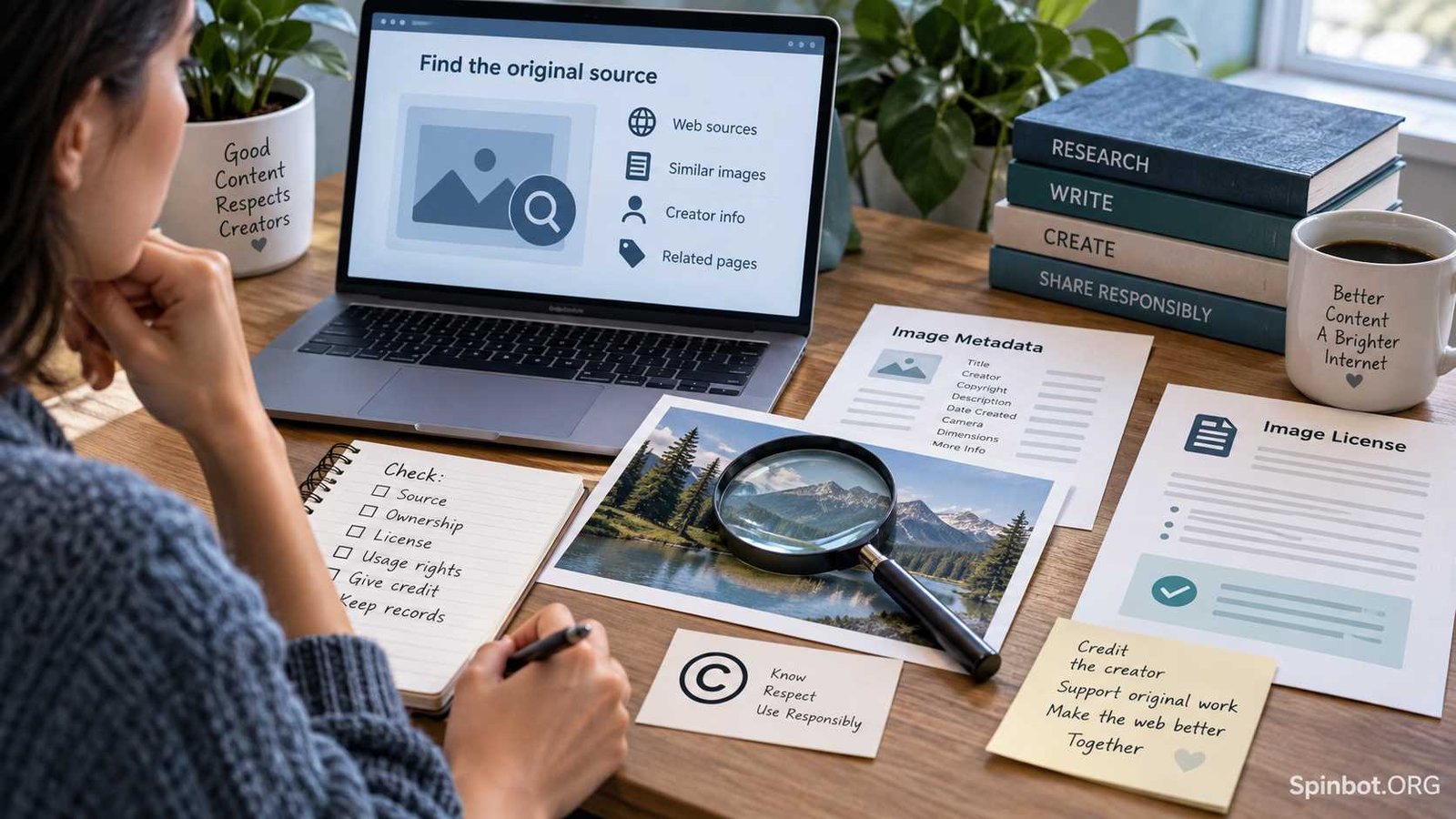
A photo does not need a watermark, copyright symbol, or registration number to receive copyright protection. In the United States, copyright generally exists automatically when an original work is created and fixed in a tangible form. WIPO explains that copyright protection is also automatic in most countries under the Berne Convention.
So, knowing how to know if a picture is copyrighted is less about finding one magic copyright checker and more about gathering evidence. You need to identify the source, creator, license, and permitted uses before deciding whether the image is safe for your purpose.
Here are seven checks that can help.
Is a Picture Copyrighted If There Is No Copyright Symbol?
Yes, it can be.
A common mistake is to look for © beside an image and assume that anything without it is free to use.
That is not how modern copyright generally works.
The U.S. Copyright Office states that copyright protection exists automatically once an original work of authorship is fixed. Photographs, drawings, graphics, paintings, and other visual works can fall within protected categories. WIPO similarly lists photographs and other artistic works among materials commonly protected by copyright.
This means none of these facts alone proves that a picture is copyright-free:
- There is no © symbol.
- There is no watermark.
- You cannot find the photographer’s name.
- The picture appears on several websites.
- You found it through Google Images.
- Someone posted it on Pinterest, Facebook, Instagram, or another social platform.
- The image has no visible copyright notice.
The better question is:
Can you identify a valid reason that you are allowed to use this picture?
That reason might be permission from the owner, a license, public-domain status, or a copyright exception that applies to your particular situation.
How to Know If a Picture Is Copyrighted
There is no universal database containing every copyrighted picture in the world. Because copyright can arise automatically without registration, no search tool can reliably return a simple yes or no answer for every image.
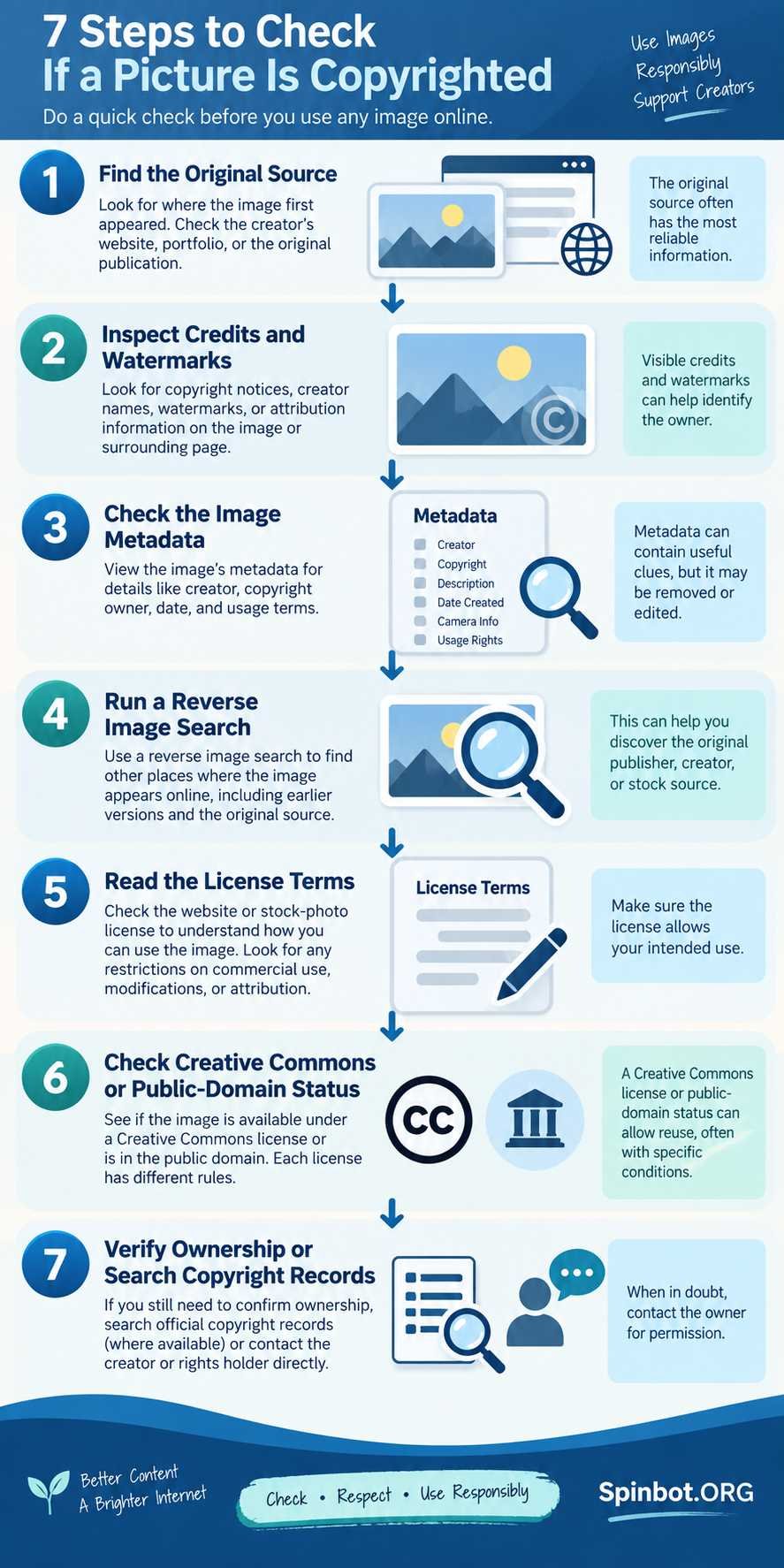
Instead, use the following checks.
1. Find the Original Source
Start by asking where the picture actually came from.
A blog that copied an image from somewhere else is not necessarily its owner. Neither is a social media account that reposted it.
Look for the earliest credible source you can identify.
Check:
- The page where you first found the image
- The image caption
- Photographer or artist credits
- Links to an original publication
- Author or contributor pages
- Stock-image attribution
- Licensing information
For example, imagine you find a landscape photo on a small blog. The blog credits a photographer whose name links to a stock photography site. The stock site is much more useful for determining your rights than the blog that reused the picture.
Finding the source still does not automatically give you permission. It gives you somewhere reliable to start checking.
2. Look for Copyright Notices, Credits, and Watermarks
Next, inspect the picture and the page around it.
You may find clues such as:
- © followed by a person’s or company’s name
- A photographer credit
- An agency name
- A watermark
- A licensing statement
- An “all rights reserved” notice
- A Creative Commons label
These signs make ownership easier to investigate.
But remember the reverse is not true. No copyright notice does not mean no copyright.
A creator may publish a photo without adding any visible copyright statement. Automatic copyright protection does not depend on placing a copyright symbol on every copy.
Treat copyright notices as helpful evidence, not as the only test.
3. Check the Image Metadata
Digital pictures can contain information hidden inside the image file.
This is called metadata.
According to the International Press Telecommunications Council, or IPTC, photo metadata can include information about the creator, copyright owner, credits, rights, licensing terms, creation details, and other administrative information.
Depending on the file, you may find fields such as:
- Creator
- Copyright owner
- Copyright notice
- Credit
- Source
- Date created
- Rights usage terms
- Licensor information
You can view some metadata through your computer’s file properties or with dedicated metadata viewers.
Metadata can be especially useful when you have downloaded the original image file.
Still, treat it as evidence rather than absolute proof. Metadata may be removed when an image is uploaded, compressed, copied, edited, or exported. It can also be changed. Google itself warns that image metadata can sometimes be modified and should be checked against other evidence.
No metadata does not mean no copyright.
4. Run a Reverse Image Search
A reverse image search can help you discover where else a picture appears online.
Instead of typing words into a search engine, you search using the picture itself.
Tools such as Google Lens can help you locate:
- Earlier appearances of the image
- Pages containing matching or similar images
- Photographer portfolios
- Stock-photo listings
- News organizations that published it
- Higher-resolution originals
- Pages containing creator credits
Google’s About this image feature can also show other sites using an image and, when available, earlier uses that may help reveal its original context.
Suppose an image appears on 50 blogs. That does not mean 50 people own it. A reverse search may reveal that the photo originally came from one photographer or agency.
A reverse image search is therefore best used as a source-tracing tool, not as a copyright detector.
Finding hundreds of copies online does not prove the image is free.
5. Read the Website or Stock-Image License
Once you locate the likely source, look for its licensing terms.
The picture may be copyrighted while still being completely legal for you to use.
For example, a stock-image service may grant users a license to reproduce a photograph under certain conditions. A photographer may allow reuse with attribution. Another website may restrict its images to personal use.
Check whether the license covers your exact purpose.
Ask:
- Can I use the image commercially?
- Can I publish it on a monetized blog?
- Can I use it on social media?
- Can I modify or crop it?
- Do I need to credit the creator?
- Can I include it in advertising?
- Is there a limit on copies or impressions?
- Can I redistribute the original file?
Do not assume that downloading an image gives you ownership of it.
You may own your copy of the file while the copyright remains with someone else.
Save a copy of the license, receipt, permission email, or other evidence showing why you were entitled to use the image. Website terms can change, and keeping records can make your licensing history much clearer later.
6. Check Creative Commons or Public-Domain Status
Some copyrighted images are intentionally made available for reuse.
Creative Commons provides six main copyright licenses. They allow creators to grant reuse rights while placing different conditions on how their work may be used.
Here is the basic difference:
| License | Commercial Use | Adaptations | Main Requirement |
|---|---|---|---|
| CC BY | Yes | Yes | Attribution |
| CC BY-SA | Yes | Yes | Attribution and ShareAlike |
| CC BY-ND | Yes | No shared adaptations | Attribution |
| CC BY-NC | No | Yes | Attribution |
| CC BY-NC-SA | No | Yes | Attribution and ShareAlike |
| CC BY-NC-ND | No | No shared adaptations | Attribution |
Do not stop after seeing the words Creative Commons. Check which specific license applies.
For example, a CC BY image may permit commercial reuse with proper attribution, while a CC BY-NC image limits reuse to noncommercial purposes. Creative Commons recommends reviewing the exact license before using the material.
You may also encounter CC0. Creative Commons describes CC0 as a tool that allows creators and other rights holders to waive copyright and related rights to the fullest extent allowed by law, making reuse much less restricted.
Public-domain material is different again. A work may enter the public domain because its copyright expired, because copyright did not apply to it in a particular jurisdiction, or through another legal route.
Do not label a picture public domain simply because it looks old.
Its copyright status can depend on when and where it was created or published, who created it, and the law that applies.
7. Search Copyright Records or Contact the Owner
If you still need to know how to find if a picture is copyrighted, you can search formal copyright records where appropriate.
In the United States, the Copyright Office provides a Public Records Portal covering different historical periods, including searchable registration and recordation collections.
A matching record can provide valuable ownership information.
However, there is an important limitation.
Failing to find a registration does not prove that the picture has no copyright.
Registration is not what creates copyright in most cases. The U.S. Copyright Office clearly distinguishes automatic copyright protection from copyright registration. Registration can provide important legal benefits, but the copyright itself can exist before registration.
If you identify a likely photographer, artist, agency, publisher, or rights holder but cannot find clear licensing information, contacting them may be the simplest solution.
Ask for permission in writing and describe exactly how you want to use the picture.
How to Check Picture Copyright With Google
Google can help with copyright research, but it cannot make the final legal decision for you.
There are two particularly useful approaches.
Use Google Lens or image-source tools
Google Lens and related image features can help locate matching pictures, websites using them, and information about their earlier appearances.
This can help you work backward toward the original source.
Once you find that source, check its copyright and licensing information.
Use the Usage Rights filter
Google Images also offers a Usage rights filter for finding pictures that contain licensing information.
Google recommends checking the license details with both the license provider and the site hosting the picture before reuse. Its guidance specifically warns that images may still be subject to copyright.
That distinction matters.
A Google result is not a license.
Google helps you find information published elsewhere. The actual permission comes from the copyright owner, license provider, public-domain status, or applicable law.
Copyrighted Does Not Always Mean You Cannot Use It
People often treat copyrighted and forbidden as if they mean the same thing.
They do not.
A picture can be copyrighted and still available for lawful reuse.
You might be able to use it because:
- The owner gave you permission.
- You purchased an appropriate license.
- A Creative Commons license permits your use.
- The work is in the public domain.
- A legal copyright exception applies.
Think of copyright as ownership rights, while a license describes what the owner allows other people to do.
This is why checking the license is often more useful than asking only whether copyright exists.
Common Image Copyright Mistakes
Several shortcuts regularly lead people into trouble.
“There is no watermark, so I can use it.”
False. Watermarks are optional signals. Copyright protection can exist without them.
“I gave the photographer credit.”
Credit is respectful, and some licenses require it. But attribution alone does not automatically create permission.
If a photographer says you cannot reproduce a photo without a license, adding the photographer’s name does not replace that license.
“It was on social media.”
Posting something publicly does not automatically place it in the public domain.
A public Instagram post, Facebook image, Pinterest pin, or X post can still contain copyrighted material.
“I found it on Google.”
Google Images is a search service, not a library of automatically copyright-free pictures. Google specifically tells users to review licensing requirements before reuse.
“I changed the picture, so copyright no longer matters.”
Cropping, adding text, applying a filter, changing colors, or resizing an image does not automatically remove the original creator’s rights.
A license may allow modification, or a copyright exception may sometimes apply, but editing alone is not a copyright-clearing method.
“I paid for the image, so I can do anything with it.”
Payment usually buys whatever rights the license specifies.
One license might allow website use but restrict merchandise. Another may prohibit redistribution of the standalone image file.
Read what you purchased rather than assuming payment transferred the copyright itself.
What About Fair Use?
In the United States, fair use can allow certain uses of copyrighted material without permission.
But it is not a simple checklist where one factor automatically makes an image safe.
Section 107 of U.S. copyright law uses four factors:
- The purpose and character of the use
- The nature of the copyrighted work
- The amount and importance of what was used
- The effect of the use on the potential market for the original
The U.S. Copyright Office explains that courts evaluate these factors together and decide fair-use questions case by case. Even nonprofit or educational use is not automatically fair.
For example, using a photograph while directly criticizing or discussing that photograph presents a different situation from using the same photo merely to decorate a commercial blog post.
There is no universal rule saying that changing 20 percent, using only part of an image, adding a credit, or using something for education automatically creates fair use.
And fair use is a U.S. doctrine. Other countries may use different copyright exceptions and limitations.
If an image is central to a commercial project, legal dispute, major publication, or other high-risk use, professional legal advice may be worth getting.
A 60-Second Picture Copyright Checklist
Before publishing an image, run through these questions:
- Can I identify the original source?
- Can I identify the creator or copyright owner?
- Is there a copyright or licensing notice?
- Does metadata reveal useful ownership information?
- Did a reverse image search reveal an earlier or original source?
- Do I have a license, permission, public-domain basis, or other lawful reason to use it?
- Does that permission cover my exact use, including commercial use and modifications if needed?
- Have I followed attribution requirements?
- Have I saved evidence of the license or permission?
If several answers are no, do not treat uncertainty as permission.
What to Do When You Cannot Verify the Copyright Status
Sometimes you will follow every step and still be unable to identify who owns a picture.
That does not automatically make the image free.
A safer approach is to choose one of these options:
- Contact the likely creator or publisher.
- Find another picture with clearly stated licensing terms.
- Use a reputable public-domain collection.
- Choose appropriately licensed Creative Commons material.
- Purchase a stock-image license.
- Create your own photograph or illustration.
The practical rule is simple: when ownership is unclear, look for positive evidence that you are allowed to use the image rather than searching for evidence that someone will stop you.
That is the most reliable answer to how to tell if a picture is copyrighted. In many cases, the picture probably does have copyright protection. What matters next is whether you have the rights needed for the way you plan to use it.
Copyright laws and exceptions vary by country, so treat this as general information rather than legal advice for a specific dispute.

Academic editor turned AI copy pro, Sarah-Jane fuses research precision with smart storytelling. She covers academic writing, research, citation, plagiarism, copyright, grammar, editing, and publishing.