You’ve probably been there: you ask your favorite AI tool to write something brilliant, it spits out a decent paragraph, and for a second you think, “Wow, this is good.” Then you read it again and realize something’s missing.
It’s not wrong, but it’s off.
Maybe the tone’s too polished, or the rhythm feels like it was written by a grammar-obsessed robot who’s never felt caffeine jitters or Monday mornings.
That’s where editing AI-generated content steps in. Whether you’re using ChatGPT, Jasper, or another AI writer, refining its work is what separates average output from authentic writing that actually connects with people.
Let’s unpack how to turn that stiff AI text into something that sounds like you.
Why Editing AI-Generated Content Matters
AI can write fast scary fast. But fast doesn’t always mean right.
Here’s what typically happens when you rely on raw AI output:
- It sounds flat no emotional highs or lows.
- It repeats itself, like an echo chamber with a thesaurus.
- It misses nuance, using words that feel right but aren’t quite natural.
- It plays it safe, avoiding strong opinions or unique phrasing.
Readers pick up on these things immediately. Even without realizing it, they sense when something was written by a machine. And search engines are getting better at spotting it too.
Editing fixes all of that. It injects the human spark rhythm, surprise, warmth, and imperfection. Those tiny quirks are what make writing memorable.
How to Edit AI-Generated Content (Step by Step)
Let’s break it down into an easy, human-friendly workflow that anyone from a student to a content strategist can use.
1. Start with a Fresh Read Not a Fix
Before touching anything, just read the AI text once like a reader would.
- Don’t mark errors yet.
- Don’t correct grammar.
- Don’t even judge it too harshly.
You’re looking for feel.
Ask yourself:
- Does this sound too formal or robotic?
- Would I ever say this sentence out loud?
- Is there any emotional connection?
This first impression helps you see the tone gaps you’ll later fix.
2. Identify the “AI Tone” Traps
Every AI has habits. Spot them early:
| Common AI Pattern | What It Looks Like | How to Fix |
|---|---|---|
| Overly structured paragraphs | “Firstly… Secondly… Lastly…” | Break structure. Add transitions like “Let’s be real,” or “Here’s the thing.” |
| Repetitive phrasing | “In conclusion,” “Overall,” “To sum up” | Delete formal connectors. Replace with natural phrasing. |
| Generic claims | “Content is important for success.” | Add examples, facts, or stories. |
| Politeness overload | “It’s essential to note that…” | Trim fluff. Speak plainly. |
Your job as editor isn’t just to polish grammar it’s to humanize the rhythm.
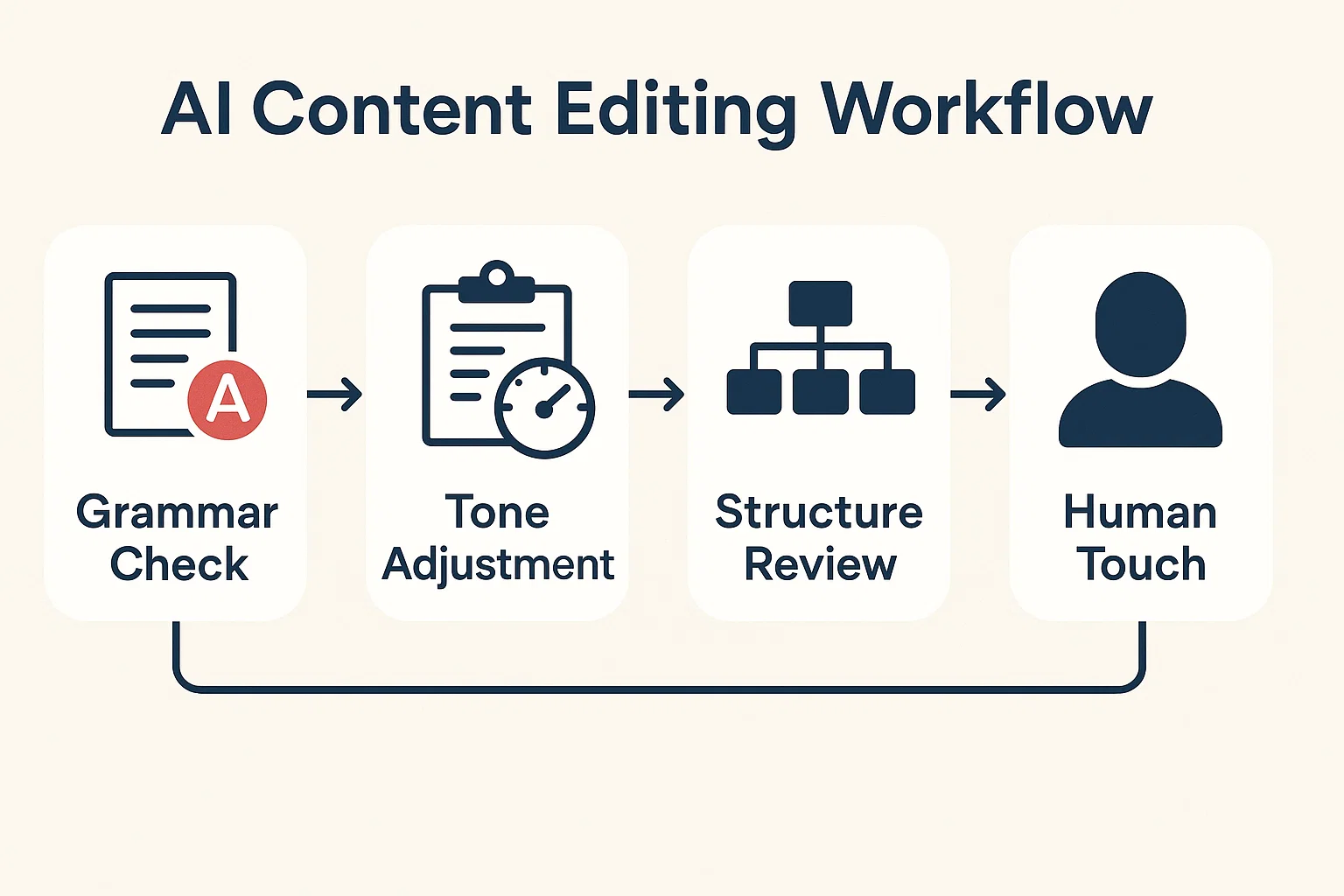
3. Simplify the Sentences
AI often tries to sound smart by stacking long phrases. Readers just get lost.
Example:
“It is crucial to ensure that the implementation of strategies aligns with user expectations.”
Human edit:
“Make sure your strategy actually works for people.”
One feels like a boardroom memo; the other feels like a friend giving advice.
Editing AI content means breaking complexity into clarity. Short sentences. Natural cadence. Occasional sentence fragments for punch. That’s what gives your writing breath.
4. Make the Tone Match the Audience
Ask: Who am I talking to?
If you’re writing for business owners, your edits should sound confident and helpful.
If it’s for students, make it friendly and easy to digest.
If it’s for creatives, use metaphor, rhythm, and a bit of playfulness.
AI doesn’t always understand this nuance. You do.
Adjust tone markers the rhythm, humor, and phrasing until it fits the person on the other side of the screen.
5. Fix Logic Gaps and Flow
AI sometimes contradicts itself or jumps between ideas mid-sentence. When editing:
- Rearrange paragraphs so ideas build naturally.
- Add transitions like “But here’s the catch…” or “On the other hand…”
- Check cause-and-effect does the argument flow logically?
A quick mental trick: read your edits aloud. If you can’t say it smoothly without stumbling, rewrite it.
6. Add Real Examples and Human Context
This is where the magic happens.
AI gives you theory; you give it life.
Let’s say the AI wrote:
“Editing AI content is an essential step to ensure clarity and engagement.”
You can humanize it by adding context:
“Editing AI content is like seasoning food it’s fine plain, but add your touch and suddenly it’s memorable.”
See the difference? Same meaning, better flavor.
Whenever possible, tie examples to real experiences a freelance job, a classroom essay, a marketing campaign. Real moments anchor trust.
7. Polish Style and Voice
Once clarity and flow are done, focus on style.
Ask:
- Does this sound like me?
- Are my sentences too uniform?
- Do I mix short and long sentences?
Add variety:
- One-line zingers.
- Soft emotional pauses.
- Occasional rhetorical questions.
Example:
“You don’t need to sound like Shakespeare you just need to sound human.”
That’s what readers remember.
8. Run a Technical Pass
After the creative polish, bring in your editing toolbox.
Use:
- Grammarly or LanguageTool for grammar and punctuation.
- Hemingway App to simplify long sentences.
- Quillbot for quick rewrites (carefully don’t lose your tone).
- Originality.AI or GPTZero to ensure your text feels human enough.
But remember: tools assist; they don’t replace your judgment.
Editing is still a human art AI just helps you get there faster.
9. Check SEO Without Killing Flow
When editing for the web, blend SEO smoothly:
- Sprinkle your keywords naturally never stack them.
- Focus on user intent.
- Use related phrases like “refine AI writing,” “humanize AI text,” and “AI editing workflow.”
Good SEO reads like good storytelling clear, helpful, and conversational.
10. Finish with a Human Touch
Before you hit publish, read the entire piece aloud.
Notice:
- Does it sound like a conversation or a lecture?
- Does it have natural emotion curiosity, empathy, humor?
- Are there moments where you can say “you” instead of “one” or “users”?
That’s your final polish. That’s where AI becomes truly human.
Editing AI Images: A Quick Side Note
The question pops up often: Can I edit AI-generated images too?
Absolutely and you should, especially if you’re using them for branding or publishing.
Use tools like:
- Photoshop’s Generative Fill to adjust lighting, background, or imperfections.
- Canva’s Magic Edit for quick touch-ups and color correction.
- Luminar Neo to add realism and depth.
AI images often look “too perfect” smooth, plastic, symmetrical.
Adding a bit of grain, texture, or imperfection makes them look authentically human.
Real Example: From Raw AI Draft to Refined Content
Let’s look at a mini case study.
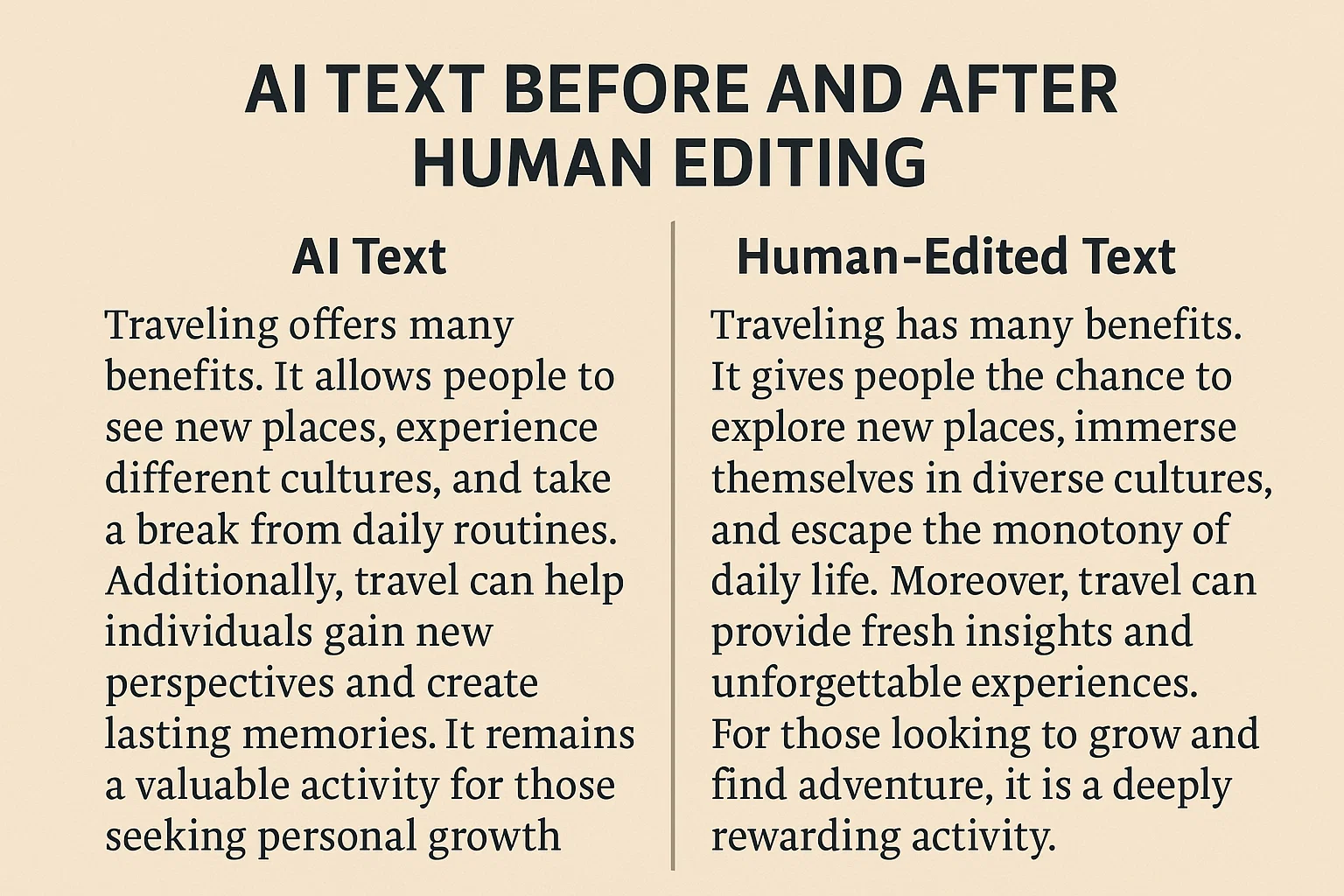
Raw AI Text:
“Editing AI content is a significant process for improving readability and engagement. It involves various techniques to ensure that the content is of high quality.”
Human-Edited Version:
“Editing AI content turns robotic drafts into writing people actually want to read. It’s less about fixing grammar and more about finding voice.”
Notice what changed?
- We cut redundant words.
- We added imagery.
- We shifted focus from process to purpose.
That’s editing in action.
The Tools That Make Editing Easier
Here are a few AI-friendly editors you can trust:
| Tool | Best For | Why It Helps |
|---|---|---|
| Grammarly | Grammar and tone | Adjusts voice levels (formal/friendly). |
| Hemingway App | Simplifying prose | Highlights long sentences and adverbs. |
| Quillbot | Rewriting awkward phrases | Great for fine-tuning AI awkwardness. |
| ProWritingAid | Deep stylistic analysis | Ideal for freelancers polishing blogs or copy. |
| ChatGPT (used wisely) | Contextual edits | Re-prompt it: “Rewrite this paragraph with more humor.” |
| Originality.AI | Humanization check | Helps detect overly AI-like phrasing. |
Combine them but remember, you’re still the editor-in-chief.
What to Avoid When Editing AI Content
Even experienced editors fall into traps. Watch out for these:
- Over-editing.
You end up sounding like the AI again stiff and over-corrected. Keep emotion. - Losing your voice.
Don’t let grammar perfection erase your personality. Authentic > flawless. - Ignoring structure.
AI may jumble logic; rearranging ideas can matter more than fixing commas. - Trusting AI too much.
Always verify facts. AI still hallucinates. Cite credible sources or double-check data. - Editing with bias.
Don’t assume every AI mistake is bad writing. Sometimes its phrasing sparks creativity build on that.
Pro Tips for Advanced Editors
When you’re ready to take AI editing to the next level:
- Create an editing checklist.
Include tone, rhythm, clarity, and originality. - Layer your passes.
Do multiple edits: one for structure, one for voice, one for grammar. - Use text-to-speech tools.
Hearing your writing read aloud exposes awkward spots. - Develop a “voice profile.”
Note words and phrasing you often use then train AI to mimic it for smoother drafts. - Collaborate with AI.
Ask it, “What could make this paragraph sound more conversational?” Treat it as a partner, not an enemy.
Why Human Editing Will Always Matter
Even as AI evolves, editing remains human territory.
Why? Because emotion doesn’t come from syntax it comes from understanding.
An AI can predict the next word; a human can predict the next feeling.
Readers remember the feeling.
Editing AI-generated content isn’t about tricking detectors or gaming algorithms it’s about communication. It’s about making sure your message lands with warmth, clarity, and authenticity.
So next time you ask AI to draft something, remember: the first version is a sketch.
You are the finishing brush.
Final Reflection
If AI is the writer, you’re the storyteller.
You give shape, color, and meaning to the mechanical draft.
Editing AI-generated content isn’t a chore it’s a creative collaboration.
You take the machine’s precision and mix it with human imperfection, curiosity, and voice.
That’s where real writing lives.
And that’s the part AI still needs us for maybe always will.

Covers AI writing tools, large language models, prompt engineering, AI detection, and practical AI writing workflows for Spinbot.ORG.