

The official course takes approximately one hour and contains six modules covering AI fundamentals, an introduction to Gemini, practical applications, advanced features, responsible AI use, and a closing assessment. It is aimed at beginners, so you do not need coding experience or a technical background to start. Google Skillshop
The course is a useful starting point, but mastering Gemini requires more than watching lessons. You need to understand how to write prompts, select the right model, verify answers, protect sensitive information, and recognize where another tool may perform better.
What You Learn in Domina la IA con Gemini
The course introduces Gemini as a multimodal AI assistant. Multimodal means it can work with more than plain text. Depending on the Gemini product and model you use, it may process images, audio, video, PDFs, code, and other content.
Google divides the course into six short modules:
- Introduction to AI: Basic concepts behind artificial intelligence and generative models.
- Introduction to Gemini: What Gemini is and how people can interact with it.
- Gemini in action: Practical applications for generating ideas, solving problems, and completing routine tasks.
- Advanced Gemini features: More capable workflows and tools.
- Responsible AI: Privacy, accuracy, safety, and ethical considerations.
- Course completion: A short review of the material.
The course focuses on practical use rather than model engineering. It is most suitable for students, teachers, writers, office workers, small-business owners, and people who have only recently started using generative AI.
After finishing it, you should understand what Gemini can do. You will still need hands-on practice to decide when its output is trustworthy and how to improve weak responses.
How to Start Using Gemini
You can access the Gemini web app through gemini.google.com. Sign in with an eligible Google account and enter a request in the prompt box.
A useful prompt normally contains four elements:
- The task you want Gemini to complete
- The relevant background or source material
- Any limits, such as length or audience
- The format you want in the response
For example, “Write about email marketing” gives Gemini little direction. A more useful prompt would be:
Create a five-email welcome sequence for a small online bookstore. Target first-time customers, keep each email under 180 words, and include a subject line and one clear call to action.
The second prompt tells Gemini what it is creating, who will read it, how long it should be, and how to organize the answer.
If the first response misses the mark, do not restart immediately. Explain what needs changing. You might ask Gemini to simplify the language, remove repetition, provide sources, use a warmer tone, or turn the response into a checklist.
This back-and-forth process is usually more effective than searching for one supposedly perfect prompt.
How to Get Gemini on Chrome
There are several ways to access Gemini while using Chrome, and they should not be confused with one another.
The simplest option is to visit the Gemini website in Chrome. You can also type @gemini into Chrome’s address bar where that shortcut is supported.
Gemini in Chrome is a separate browser feature. It can use information from the page or tabs you choose to share, allowing you to ask questions about what you are reading. Google says the feature can help summarize pages, clarify concepts, compare information, and complete certain browser-related tasks. It can be opened from the Gemini icon in the Chrome toolbar or through a configured keyboard shortcut. Gemini in Chrome
You generally do not need an unofficial Chrome extension. If the Gemini icon is available in your browser, the capability is already built into Chrome.
If you cannot find it:
- Update Chrome to the latest version available for your device.
- Sign in with an eligible personal or work account.
- Check whether Gemini is available in your country and language.
- Look at your organization’s Workspace settings if you use a managed account.
- Confirm that your device and account meet Google’s requirements.
Google notes that setup, compatibility, and availability can vary. The desktop feature is intended for eligible adult users on supported Windows, macOS, and Chromebook Plus devices. Mobile access works differently on Android and iOS.
Before sharing tabs, check whether they contain confidential business records, private messages, financial information, or personal data. Treat browser context as information you are intentionally providing to the assistant.
Is Gemini Good at Math?
Gemini can be useful for mathematics, especially when you need an explanation rather than a bare answer. It can break a problem into steps, clarify formulas, create practice questions, translate mathematical notation into plain language, and help locate an error in your approach.
Its reliability depends on the model and the problem. A capable reasoning model may solve difficult tasks correctly, but generative AI can still make arithmetic mistakes, misread notation, overlook conditions, or confidently present an invalid proof.
Use Gemini as a tutor, not an unquestionable answer key.
For important work, ask it to:
- State all assumptions
- Show every calculation
- Solve the problem using a second method
- Substitute the result back into the original equation
- Identify any uncertainty in the answer
You should independently verify calculations used in exams, financial decisions, engineering, research, medicine, or other high-stakes situations. A clear explanation can still contain a subtle error.
Which Gemini Model Is Best for Coding?
The best Gemini model for coding depends on whether you need maximum reasoning quality, rapid assistance, or low API costs.
According to Google’s current developer documentation, Gemini 3.1 Pro Preview is optimized for software engineering, precise tool use, and complex multi-step workflows. It is the logical starting point for difficult debugging, architectural analysis, repository-level questions, and tasks that require careful reasoning. Because it is a preview model, developers should also expect possible changes before a stable release. Gemini 3.1 Pro documentation
A faster Flash model is often more practical for:
- Explaining a short function
- Generating routine boilerplate
- Writing unit-test drafts
- Converting data formats
- Producing regular expressions
- Answering straightforward syntax questions
Flash-Lite is designed for high-volume, lightweight tasks where speed and cost matter more than maximum reasoning depth. Gemini model directory
Model selection alone does not guarantee good code. Give Gemini the relevant language, framework version, error message, expected behavior, and constraints. Ask for a minimal change instead of an open-ended rewrite when working with an existing project.
Always review the proposed diff, run tests, use version control, and check security-sensitive code manually. AI-generated code can introduce vulnerable dependencies, remove required checks, or solve the wrong problem while still looking polished.
Can Gemini Upscale Images?
Gemini can generate and edit images, but “upscaling” can mean two different things.
Traditional upscaling increases an image’s pixel dimensions. A dedicated upscaler may also reduce noise, sharpen edges, and reconstruct details. Its goal is usually to retain the source image while producing a larger output.
Generative image enhancement is different. Gemini may reinterpret parts of the image, reconstruct textures, or create details that did not exist in the original. The result might look clearer, but it is not necessarily a faithful restoration.
Google’s current image-model documentation includes output options reaching 2K and 4K for supported models. It also describes models designed for image generation and editing, including Gemini 3.1 Flash Image and Gemini 3 Pro Image. Availability depends on the Gemini product, subscription, account, and API you use. Gemini 3.1 Flash Image
For a casual creative image, generative enhancement may be enough. Use a dedicated restoration or upscaling tool when exact facial features, archival accuracy, legal evidence, medical details, or product fidelity must be preserved.
Keep the original file so you can compare it with the generated version.
What to Do When Gemini Declines an Image Request
Trying to bypass Gemini’s image restrictions is neither a reliable workflow nor an appropriate solution. Google’s terms prohibit attempts to defeat its protective measures, and its policy restricts content involving exploitation, non-consensual intimate imagery, serious illegal activity, privacy violations, and other forms of harm. Google’s Generative AI Prohibited Use Policy
A refusal does not always mean your goal is harmful. Sometimes a legitimate request contains wording that resembles a restricted use. In that case, revise the request transparently:
- Identify the real purpose. State whether the image is for education, fictional storytelling, safety training, historical discussion, or another legitimate use.
- Remove unnecessary sensitive details. Do not include real private individuals, intimate scenarios, graphic injury, or personally identifying information unless essential and permitted.
- Request a safer representation. Ask for a non-graphic diagram, symbolic scene, fictional adult subject, neutral medical illustration, or general educational composition.
- Avoid impersonation. Use fictional characters instead of making a real person appear to do something they never did.
- Use the official feedback process. Report the refusal if you believe the system misunderstood a clearly compliant request.
The goal is to clarify a legitimate task, not disguise a prohibited one.
Grok vs Gemini vs ChatGPT
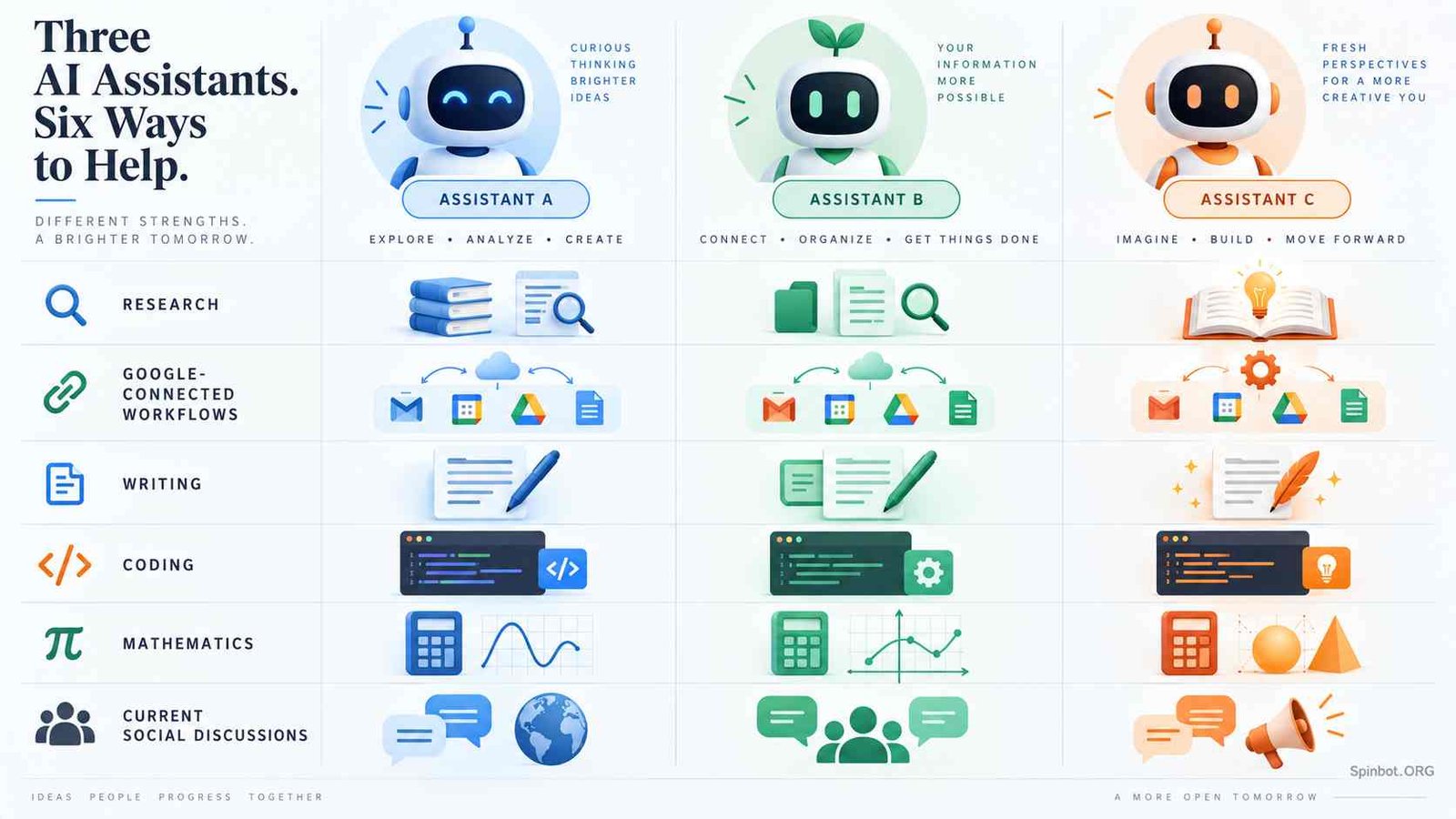
There is no permanent winner in a Grok vs Gemini vs ChatGPT comparison. Model versions change quickly, and each platform contains several tools rather than one fixed chatbot.
| Assistant | Often suits | Check before choosing |
|---|---|---|
| Gemini | Google-connected workflows, multimodal inputs, long documents, browser assistance | Feature availability differs by account, model, and region |
| ChatGPT | General writing, structured analysis, coding, document work, and iterative projects | Tools and limits depend on the selected plan and model |
| Grok | Exploring current discussions and content connected to X | Social posts can be incomplete, biased, or unverified |
Gemini is a natural option if your work already happens in Google products. ChatGPT may be a better fit when you want a broad workspace for drafting, coding, analyzing files, and refining a project through multiple stages. Grok can be useful when recent discussion on X is central to the task.
These are use-case distinctions, not guaranteed performance rankings. A platform that performs well on one coding problem may fail on the next. For a serious decision, test all candidates using the same prompt, source material, and evaluation criteria.
A Better Workflow for Everyday Gemini Tasks
The easiest way to improve Gemini’s output is to give it a defined job and then verify the result.
Start by stating the outcome: “Summarize this report for a non-technical manager.” Add the necessary context, such as the report itself and the decision the manager must make. Then define the format: five bullets, a short risk section, and three recommended actions.
Once Gemini responds, perform three checks:
- Accuracy: Does every claim match the source?
- Completeness: Did it answer the actual question?
- Usefulness: Can the intended reader act on it?
Next, ask Gemini to correct specific weaknesses. A precise instruction such as “Remove claims that are not supported by the attached report” is more useful than “Make it better.”
Do not upload passwords, confidential client records, unpublished business plans, private student information, or regulated data without confirming that your account, organization, and data controls permit it.
Is Domina la IA con Gemini Worth Taking?
Domina la IA con Gemini is worth taking if you are new to generative AI and want a short, structured introduction from Google. Its one-hour format makes it accessible, while the modules cover practical use and responsible behavior rather than focusing only on impressive outputs.
It will not make you an expert in prompt engineering, coding, mathematical verification, or AI safety. Those skills develop through repeated practice and careful review.
The best next step is to complete the course and then choose one real task from your daily work. Use Gemini to help with that task for a week. Keep track of what it handles well, where it needs more context, and which claims require independent checking.
That is how you truly domina la IA con Gemini: not by accepting every answer, but by learning how to direct the system, question its output, and use it where it genuinely improves your work.

Covers AI writing tools, large language models, prompt engineering, AI detection, and practical AI writing workflows for Spinbot.ORG.