
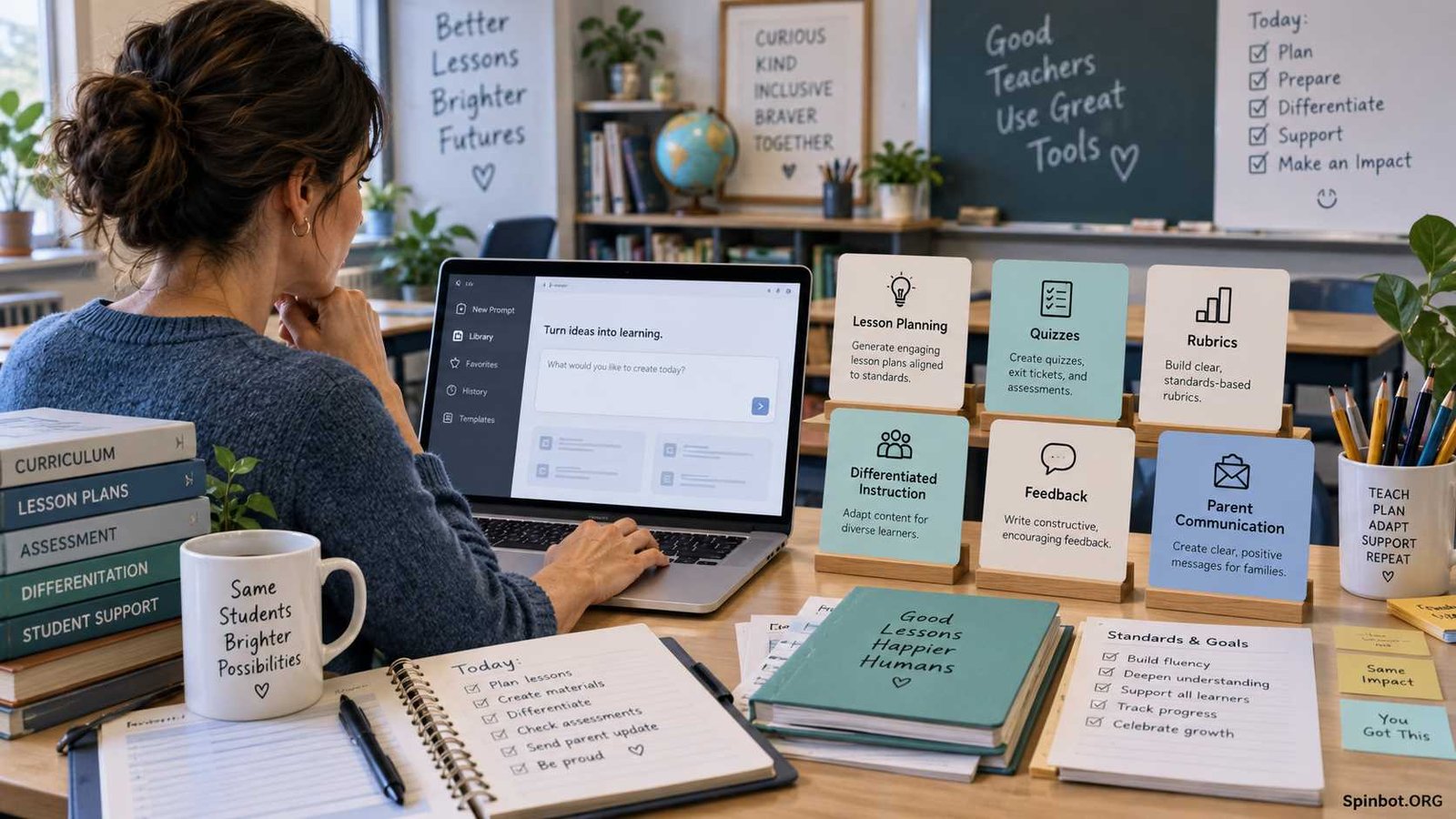
That is the purpose of this AI for education prompt library. The prompts below are ready to copy, but they are not meant to be used unchanged every time. Replace the details inside brackets, review the response, and adjust it for your students.
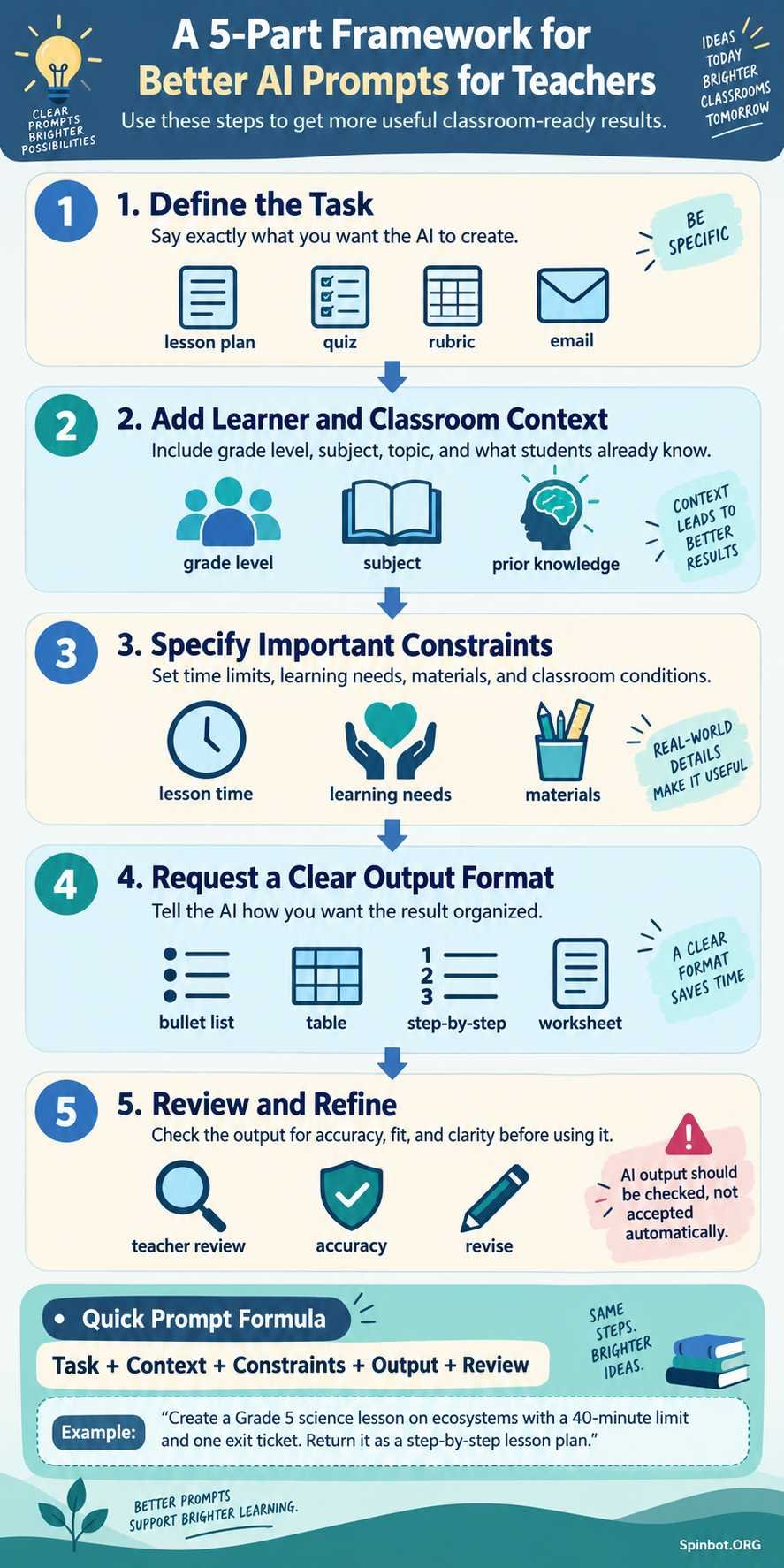
OpenAI’s current guidance for teachers uses a simple pattern: describe the task, provide useful context, and specify the output you want. It also recommends revising the first response rather than assuming the first draft will be right.
The same basic idea works with ChatGPT, Gemini, Claude, and many other general-purpose AI assistants.
How to Use This AI for Education Prompt Library
Before copying a prompt, gather a few details about your class:
- Grade or learning level
- Subject
- Topic or standard
- What students already know
- Lesson length
- Available materials
- Learning needs
- Desired output format
You do not need to provide every detail every time. Add the information that changes the quality of the answer.
For example, compare these two requests:
Weak prompt:
Create a lesson about fractions.
Better prompt:
Create a 40-minute lesson about adding fractions with unlike denominators for a Grade 5 class. Students already understand equivalent fractions. Include a warm-up, teacher explanation, guided practice, independent practice, one check for understanding, and a three-question exit ticket.
The second prompt gives the AI something concrete to work with.
OpenAI similarly recommends telling the model the grade level, curriculum context, prior knowledge, and relevant details about the students before asking it to develop teaching material.
Use the templates below as starting points.
AI Prompts for Lesson Planning
Lesson planning is one of the easiest places to use AI because you remain in control of the learning objective while the AI helps organize ideas.
1. Full lesson plan
Create a [length]-minute lesson plan for [grade level] students about [topic]. The learning objective is [objective]. Students already know [prior knowledge]. Include a warm-up, direct instruction, guided practice, independent practice, assessment, and exit ticket.
2. Lesson from a curriculum standard
Design a lesson for [grade/subject] based on this curriculum standard: [standard]. Explain the learning objective in teacher-friendly language and create activities that directly support the standard. Include a short assessment showing whether students met the objective.
3. Weekly lesson sequence
Create a five-day teaching sequence for [grade level] on [topic]. Each class lasts [time]. Give each day one clear objective, a short activity, a check for understanding, and a connection to the next day’s lesson.
4. Unit plan
Create a [number]-week unit outline for [grade/subject] about [unit topic]. Include essential questions, major concepts, learning objectives, suggested activities, formative assessments, and a final assessment.
5. Lesson hook
Give me five short lesson-opening ideas for teaching [topic] to [grade level]. Each hook should take less than [time] minutes and should activate curiosity or prior knowledge without requiring special equipment.
6. Exit ticket
Create five possible exit-ticket questions for a [grade] lesson on [topic]. Include two basic understanding questions, two application questions, and one question that helps uncover misconceptions.
7. Substitute-teacher lesson
Turn this lesson objective into a clear substitute-teacher plan: [objective]. The substitute should be able to run the class without prior knowledge of the topic. Include timing, instructions, materials, student tasks, and what to collect at the end.
8. Lesson using limited resources
Create a lesson on [topic] for [grade] using only these available materials: [materials]. Avoid suggesting technology, printing, or equipment that is not listed.
9. Review lesson
Plan a review lesson for students preparing for an assessment on [topics]. Include retrieval practice, one collaborative activity, individual practice, and a final check showing which areas need more review.
10. Complete lesson resource pack
Create a classroom-ready resource pack for [grade] on [topic]. Include the objective, lesson flow, teacher directions, student activity, discussion questions, exit ticket, differentiation ideas, and one optional extension activity.
Creating a connected set of materials can be more useful than asking AI for isolated worksheets. OpenAI’s teacher guidance recommends supplying details such as grade, learning goal, timing, standard, and student needs when generating a complete lesson resource pack.
AI Classroom Prompts for Activities and Explanations
Teachers can also use AI when they already know what they are teaching but want a new way to explain or practice it.
11. Explain a difficult concept
Explain [concept] for a [grade]-level student who has never studied it before. Use simple language, one everyday analogy, and three examples. Avoid introducing unnecessary technical terms.
12. Create discussion questions
Write eight discussion questions about [topic/text/concept] for [grade level]. Start with basic understanding and gradually move toward analysis, evidence, and evaluation.
13. Think-pair-share activity
Create a 10-minute think-pair-share activity about [topic]. Include the opening question, individual thinking task, partner discussion instructions, and one whole-class follow-up question.
14. Hands-on activity
Suggest three hands-on activities for teaching [concept] to [grade]. Use common classroom materials and explain what students should learn from each activity.
15. Real-world examples
Give me six age-appropriate real-world examples of [concept] for [grade level]. Explain in one or two sentences how each example connects to the concept.
16. Create an analogy
Create three different analogies that could help [grade]-level students understand [concept]. Explain where each analogy works and where it might become misleading.
17. Classroom debate
Create a balanced classroom debate activity about [issue] for [grade/subject]. Provide a neutral background, two or more reasonable viewpoints, evidence students should investigate, discussion rules, and reflection questions.
18. Review game
Design a no-tech classroom review game for [topic] that works with [number] students in [time] minutes. Include rules, sample questions, scoring, and a way to involve students of different ability levels.
19. Project-based activity
Suggest three project ideas for [grade/subject] that demonstrate understanding of [learning objective]. For each project, explain the final product, skills involved, estimated time, and simple assessment criteria.
20. Common misconceptions
List common misconceptions students may have about [topic]. For each one, explain why students may believe it and suggest a short question, example, or activity that can help correct the misunderstanding.
Prompts for Differentiated and Inclusive Instruction
A single lesson may need several entry points. AI can help you brainstorm adaptations, but it should not decide what an individual learner needs.
OpenAI’s K–12 prompt resources specifically include uses such as differentiating instruction and supporting multilingual learners and students receiving special education services. The company describes the prompts as editable templates rather than one-size-fits-all answers.
21. Simplify reading level
Rewrite the following classroom explanation for students reading approximately at [level]. Keep the important academic ideas accurate, shorten difficult sentences, define necessary vocabulary, and do not remove essential concepts: [text].
22. Add scaffolding
Review this activity: [activity]. Suggest five forms of scaffolding for students who understand the basic topic but need more support completing the task independently.
23. Add challenge
Create three extension activities for students who have already mastered [objective]. The tasks should require deeper reasoning or application rather than simply more questions.
24. Support multilingual learners
Adapt this lesson activity for multilingual learners at different English proficiency levels: [activity]. Suggest visual support, vocabulary preparation, sentence frames, partner structures, and ways students can demonstrate understanding without lowering the learning goal.
25. Offer multiple ways to learn
Suggest four different ways to teach [concept], including a visual approach, verbal explanation, hands-on activity, and collaborative task. Explain what each approach may help students notice.
26. Alternative ways to show learning
Give me six ways students could demonstrate mastery of [objective] besides a traditional written test. Keep the assessment criteria consistent across the different formats.
27. Break a complex task into steps
Break this student task into smaller, clear steps for learners who may feel overwhelmed by long instructions: [task]. Keep the original learning objective unchanged.
28. Check accessibility
Review these student instructions for possible accessibility barriers: [instructions]. Identify unclear language, unnecessary complexity, dependence on one type of response, or other obstacles. Suggest practical improvements without changing the academic goal.
AI Prompts for Assessments and Quizzes
AI can draft questions quickly, but teachers should check every question before students see it. A generated question may contain an incorrect answer, confusing wording, or difficulty that does not match the intended level.
29. Formative assessment
Create a short formative assessment for [grade/subject] covering [objective]. Include five questions using different formats and provide an answer key with a brief explanation for each answer.
30. Multiple-choice questions
Write ten multiple-choice questions about [topic] for [grade]. Each question should have four options, one clearly correct answer, and believable distractors based on common misunderstandings. Provide the answer key separately.
31. Short-answer questions
Create eight short-answer questions that assess understanding of [topic]. Arrange them from basic recall to application and reasoning. Include a model answer for each.
32. Diagnostic assessment
Create a short diagnostic assessment I can use before teaching [topic]. Focus on prerequisite knowledge and likely misconceptions rather than material students have not learned yet.
33. Higher-order questions
Create six questions about [topic] that require students to analyze, compare, justify, evaluate, or create. Avoid questions that can be answered only by memorizing a definition.
34. Assessment from learning objectives
Here are my learning objectives: [objectives]. Create an assessment blueprint showing which question types could measure each objective and explain why they fit.
35. Revise weak test questions
Review these assessment questions: [questions]. Identify ambiguous wording, clues to the correct answer, unnecessary difficulty, repeated skills, or mismatch with the learning objective. Suggest improved versions.
36. Create three difficulty levels
Create three versions of practice questions for [skill]: support, standard, and challenge. All three should assess the same core objective while changing the amount of scaffolding and complexity.
Prompts for Rubrics and Student Feedback
AI is useful for drafting feedback language and organizing criteria. The teacher should still make the actual assessment decision.
37. Analytic rubric
Create a four-level analytic rubric for this assignment: [assignment]. Assess [criteria]. Use clear descriptions showing meaningful differences between performance levels. Avoid vague terms such as “good” unless they are explained.
38. Student-friendly rubric
Rewrite this rubric so [grade]-level students can understand it before starting the assignment: [rubric]. Keep the assessment expectations unchanged.
39. Feedback from teacher notes
Turn my notes into clear, supportive student feedback: [notes]. Organize the response into one strength, one area for improvement, and one specific next step. Do not assign a grade.
40. Comment bank
Create a feedback comment bank for [assignment type]. Organize comments under strengths, evidence, organization, accuracy, explanation, revision, and next steps. Keep each comment specific enough to be useful but editable for individual students.
41. Revision questions
Based on these teacher comments, create five questions that can guide a student through revising their own work rather than simply giving them the corrected version: [comments].
42. Self-assessment checklist
Create a student self-assessment checklist for [assignment]. Use short statements beginning with “I can” or another age-appropriate format. Make each item directly connected to the assignment criteria.
43. Peer-feedback guide
Create a structured peer-review guide for [grade] students reviewing [assignment]. Include what to look for, respectful feedback sentence starters, and three questions the reviewer should answer.
44. Explain rubric results
Turn these rubric results into a short student-friendly explanation: [results]. Explain what the student is doing well, what needs improvement, and what they should try next. Do not add information that is not present in the rubric results.
Teacher Prompts for Communication and Routine Tasks
Google’s current education resources also promote ready-to-use AI prompts for tasks such as preparation and personalized instruction.
Communication is another useful area, especially when the AI is helping you organize wording rather than making decisions about a student.
45. Parent or caregiver email
Draft a clear, respectful email to a parent or caregiver about [topic]. The purpose is [purpose]. Use a warm professional tone, avoid educational jargon, and include the next action I want the family to take: [action].
46. Class announcement
Write a short classroom announcement for [audience] about [event/change/reminder]. Include the date, what students need to do, what they should bring, and where they can ask questions.
47. Progress-update template
Create a reusable progress-update template for families. Include sections for current learning, strengths, areas being developed, upcoming work, and ways families can support learning at home.
48. Student directions
Rewrite these directions so [grade]-level students can follow them independently: [directions]. Use numbered steps, short sentences, and a final checklist students can use before submitting their work.
49. Meeting agenda
Create a [time]-minute agenda for a meeting about [topic]. Include the purpose, discussion items, decisions that need to be made, approximate time for each item, and clear next steps.
50. Newsletter draft
Create a short class newsletter for families covering [topics]. Use plain language and sections for what we are learning, important dates, upcoming assignments, reminders, and one suggestion for supporting learning at home.
Improve Any Teacher Prompt in 30 Seconds
You do not need to memorize complicated prompt-engineering formulas.
When an AI response is too general, add one missing piece of context.
A useful teacher prompt can follow this pattern:
Task + learner + context + constraints + output
For example:
Create [TASK] for [GRADE/SUBJECT]. Students already know [CONTEXT]. The activity must fit within [TIME/RESOURCE CONSTRAINTS]. The learning goal is [OBJECTIVE]. Return the result as [OUTPUT FORMAT].
You can then refine the answer with follow-up instructions such as:
Make the vocabulary simpler but keep the academic content.
Give me a version that takes 20 minutes instead of 40.
Add more support for students who need scaffolding.
Replace the technology-based activity with a no-tech alternative.
Turn this into a one-page student handout.
Check whether every assessment question matches the stated objective.
Current OpenAI teacher guidance encourages this kind of iteration rather than starting over each time.
Check AI Output Before Using It With Students
A useful AI draft is still a draft.
OpenAI explicitly tells educators that model output may be incorrect and that teachers remain responsible for reviewing material and deciding what fits their class. UNESCO’s guidance on generative AI in education likewise emphasizes human-centered use, data privacy, age-appropriate practices, and human oversight.
Before using generated material, check five things.
Accuracy
Verify facts, calculations, quotations, sources, dates, answer keys, and explanations. Pay extra attention to topics where one small error can change the meaning.
Curriculum alignment
Ask whether the activity actually teaches the objective you intended. An attractive worksheet can still be educationally useless if it measures the wrong skill.
Level and accessibility
Read the material as your students would. Check vocabulary, sentence complexity, background knowledge, cultural assumptions, accessibility needs, and time demands.
Bias and representation
Look for stereotypes, one-sided examples, missing perspectives, or assumptions about students and families.
Privacy
Do not casually paste identifiable student information into an AI tool.
For U.S. schools covered by FERPA, the U.S. Department of Education advises teachers to check whether an online service is approved by their school or district. Services handling personally identifiable information from education records must satisfy applicable privacy requirements, and teachers are advised to consult school or district IT representatives about software use.
Your school may also have rules that go beyond national requirements, so local policy matters.
Build Your Own Education Prompt Library
The most useful education prompt library is eventually the one you build for yourself.
Start with prompts you use repeatedly. Save the versions that produce useful drafts, then replace specific details with placeholders such as [grade], [topic], [objective], or [lesson length].
Organize them by task rather than by AI tool:
Planning: lesson plans, units, learning objectives
Teaching: explanations, examples, activities
Differentiation: scaffolding, extensions, accessibility
Assessment: quizzes, rubrics, exit tickets
Feedback: comments, revision questions, self-assessment
Communication: family emails, announcements, newsletters
This keeps the library useful even if you change AI platforms.
You can also add a short note under each saved prompt explaining when it works well. A prompt for generating examples might be perfect during lesson preparation but inappropriate for grading student work. Context matters.
Above all, treat AI prompts as tools for getting to a better first draft, not as instructions for handing over professional judgment. Google describes its educator prompts as ways to support preparation and personalize instruction, while OpenAI describes teacher prompt packs as flexible templates that should be adapted to the actual classroom.
That is the real value of an AI for education prompt library: less time staring at a blank prompt box, more time shaping useful material around the students you actually teach.

Covers AI writing tools, large language models, prompt engineering, AI detection, and practical AI writing workflows for Spinbot.ORG.