
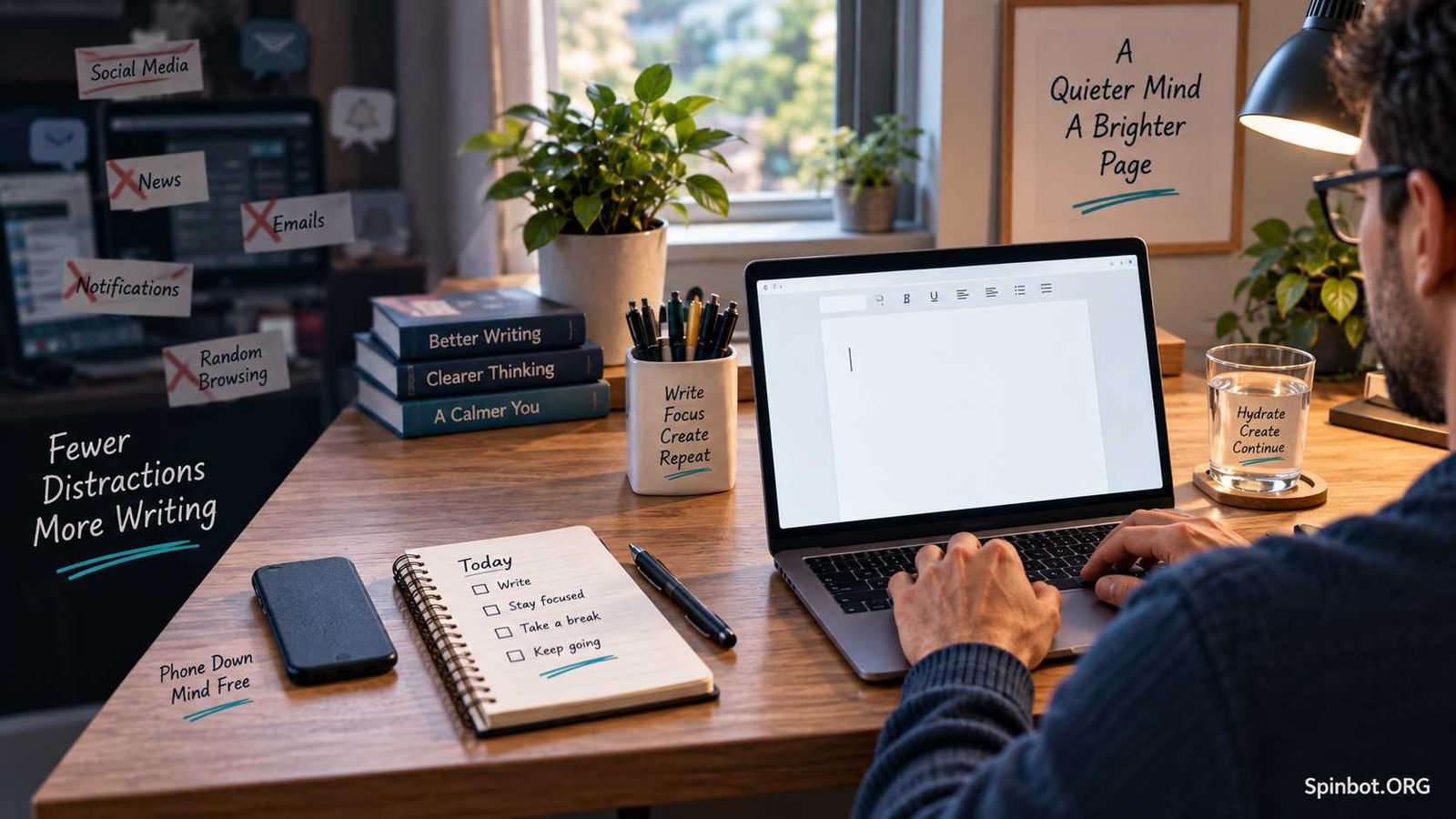
Twenty minutes later, the document is still almost empty.
A distraction-free writing environment reduces those interruptions before you begin. It does not need to be a silent room, an expensive desk, or a special writing device. It simply needs to make writing the easiest thing to do for the next block of time.
The key is to remove the distractions that affect you most, then build a simple routine around the writing itself.
What Is a Distraction-Free Writing Environment?
A distraction-free writing environment is a physical and digital setup designed to reduce interruptions while you write.
That can include:
- A clean desk
- A quiet room or headphones
- A phone placed out of reach
- Notifications turned off
- Unnecessary browser tabs closed
- A simple writing app
- A set writing period
- Research materials prepared in advance
The goal is not to remove every possible distraction. That is rarely realistic.
The goal is to reduce the number of decisions and interruptions competing with your writing.
A minimalist writing app can help, but the software is only one part of the environment. You can open the cleanest text editor in the world and still lose focus if email, social media, messages, and browser tabs remain one click away.
That is why the strongest writing setup combines the right tool with a few simple boundaries.
Remove the Distractions You Can Control
Before searching for a new writing app, look at what normally pulls you away from your work.
Your biggest problem may not be your writing software at all.
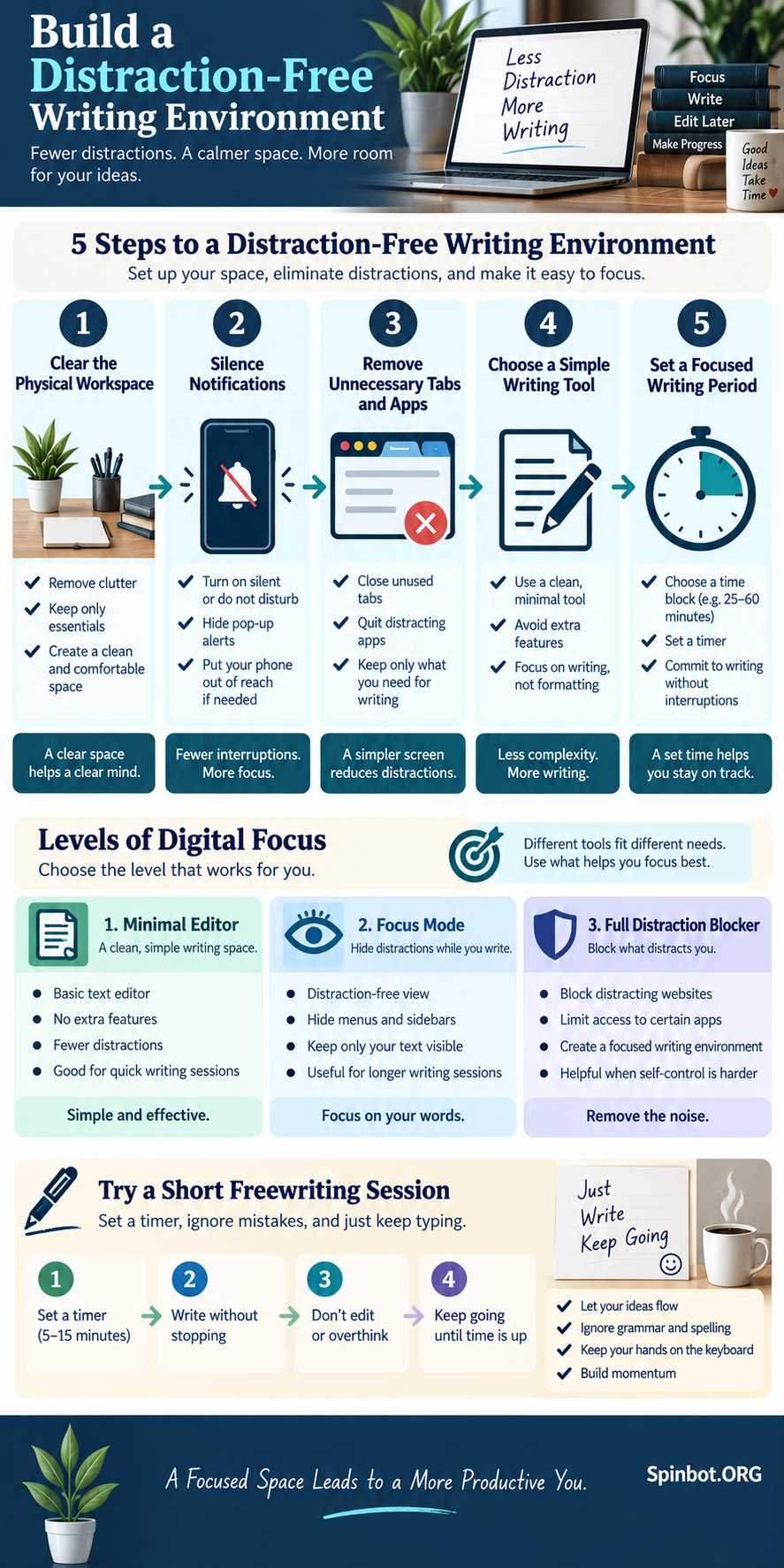
Clear your physical writing space
A cluttered desk does not automatically cause bad writing, but visual clutter can create small interruptions.
You notice the receipt beside your keyboard. Then the unopened letter. Then the notebook you meant to organize.
You do not need an empty desk. Keep the things that support the current writing task and move everything else aside.
For a normal writing session, that may mean keeping only:
- Your computer
- A notebook
- Research notes
- A drink
- Headphones if needed
The simpler the workspace, the fewer unrelated objects can pull your attention away.
Silence notifications before you start
Notifications are especially disruptive because they create a new decision.
Should you check the message now?
Even when you decide not to respond, part of your attention has already shifted.
Before writing, turn off unnecessary desktop and phone notifications. If possible, place your phone somewhere you cannot reach without getting up.
That small amount of extra effort makes mindless checking less automatic.
Close browser tabs you do not need
Research often becomes a disguised form of procrastination.
You open one source to check a fact. That source links to another page. A search result catches your eye. Soon you are reading something that has very little to do with the paragraph you were writing.
Try separating research from drafting.
Collect the information you need first. Save useful links or notes. Then close the extra tabs and start writing.
If you discover a missing fact while drafting, leave yourself a marker such as:
[CHECK STATISTIC]
Then continue writing.
You can verify it later instead of interrupting the whole draft.
Choose a Writing Tool That Matches Your Problem
Not every writer needs the same level of restriction.
Some people only need a cleaner screen. Others need software that makes it difficult to escape the writing session.
It helps to think about distraction-free writing tools in three levels.
Level 1: Minimal writing editors
These apps remove toolbars, menus, formatting controls, and other visual clutter.
They are useful if the writing program itself feels busy.
Examples include iA Writer, Calmly Writer, and FocusWriter.
A minimalist editor works best when you are generally disciplined but want a quieter place to draft.
Level 2: Focus modes
Focus modes reduce what you see inside the document itself.
For example, iA Writer currently offers sentence, paragraph, and typewriter-style focus options on supported platforms. Sentence and paragraph modes dim surrounding text so your attention stays on the section you are currently writing. Its typewriter option keeps the writing position centered on the screen.
Calmly Writer takes a similar approach. Its Focus Mode can dim everything except the paragraph you are currently working on. The desktop app also supports full-screen writing and other display controls.
These features are useful when you have a habit of rereading and editing earlier paragraphs instead of moving the draft forward.
Level 3: Strong writing restrictions
Some writers need more than a clean interface.
Cold Turkey Writer takes a much stricter approach. You can set either a time goal or a word-count goal, then the program keeps you inside the writing environment until that goal is reached. Its free version includes timed blocks, word-count blocks, distraction-free writing, and autosave.
This is a very different experience from simply hiding a toolbar.
It can be useful if your main problem is constantly leaving the document to check other apps or websites.
What Is the Best App for Distraction-Free Writing?
There is no single best app for every writer.
The best choice depends on what is actually distracting you.
iA Writer is a strong option for focused drafting if you want a polished writing environment with sentence and paragraph focus. It is especially useful for writers who tend to edit while drafting. Its official documentation even recommends turning Focus Mode off during heavier editing, which reinforces the idea that drafting and editing work better as separate stages.
Calmly Writer is a good choice if you want a simple visual workspace without giving up useful writing features. It supports Windows, Mac, Linux, and Android, while its free browser version provides a lightweight writing space without requiring signup. The desktop edition also works offline and includes features such as backups, writing targets, and additional focus controls.
Cold Turkey Writer is better for strict self-control. Instead of merely hiding distractions, it restricts access to the rest of your computer until your writing target is complete. It currently supports Windows and macOS rather than mobile platforms.
FocusWriter is another minimalist option worth considering if you mainly want a simple full-screen writing environment without a complex interface.
Here is the simplest way to choose:
| Your main problem | Better type of tool |
|---|---|
| Too many buttons and menus | Minimal writing editor |
| Constantly rereading old paragraphs | Sentence or paragraph focus mode |
| Switching to websites and other apps | Strong blocker or locked writing session |
| Writing in a browser | Simple browser-based editor |
| Writing without internet access | Desktop app with local file support |
Do not choose an app because it has the longest feature list.
Choose the one that removes the specific distraction that keeps stopping you.
Build a Simple Distraction-Free Writing Routine
A focused environment works better when you use it the same way each time.
You do not need an elaborate productivity system.
Try this simple routine.
1. Decide what you are writing
Avoid starting with a vague goal such as “work on article.”
Choose something concrete:
- Draft the introduction
- Write 500 words
- Finish one section
- Rewrite the opening page
- Create the first draft without editing
A specific target gives the session a clear finish line.
2. Prepare what you need
Open your outline, notes, sources, or reference document before the session begins.
If you know you will need three statistics, collect them first.
Every missing piece of information creates another excuse to leave the document.
3. Set a realistic writing period
You do not need to write for three uninterrupted hours.
A focused 25, 40, or 60-minute session may be more useful than a long session filled with interruptions.
Pick a period you can reasonably protect.
During that time, writing is the default task.
4. Draft before you edit
One of the biggest internal distractions is the urge to improve every sentence immediately.
You write one line.
Then you rewrite it.
Then you change one word.
Then you reread the paragraph above it.
This feels like work, but it can make drafting painfully slow.
Let the first version be imperfect.
The purpose of drafting is to create material. Editing has a different purpose: improving material that already exists.
Separating those jobs often makes both easier.
5. Take a deliberate break
When the writing period ends, stop intentionally.
Stand up. Stretch. Get water. Check messages if you need to.
A planned break is different from drifting away from the document every few minutes.
You are training yourself to focus during the writing period because you know there is a clear break afterward.
What Does Freewriting Mean?
Freewriting means writing continuously for a set period without stopping to correct, judge, or organize every sentence.
Writing centers at George Mason University and Texas A&M describe freewriting as a timed activity where the writer keeps producing words without worrying about grammar, spelling, or whether every idea is immediately useful.
The purpose is not to produce a polished final draft.
The purpose is to keep ideas moving.
Freewriting is especially useful when you know the topic but cannot figure out how to begin.
Try a simple five-minute freewriting session
Set a timer for five minutes.
Write whatever comes to mind about your topic.
Do not delete sentences.
Do not stop to check spelling.
Do not search for sources.
Do not worry about whether the opening sounds good.
For example, if you are writing about email marketing, you might begin:
“Most small businesses do not need more emails. They need emails people actually want to open…”
Then keep going.
You may produce several weak sentences before finding one useful idea.
That is fine.
When the timer ends, read the draft and highlight anything worth keeping.
Freewriting works well inside a distraction-free environment because both methods encourage the same behavior: keep moving forward instead of interrupting yourself.
Match the Environment to the Kind of Writing You Do
Different writing tasks require different levels of focus.
Students
Students often need access to research, citations, notes, and course materials.
A completely locked writing tool may therefore be too restrictive.
A better setup may be a simple editor combined with a small number of carefully chosen research tabs.
Bloggers and freelance writers
Bloggers often move between outlining, research, drafting, SEO work, editing, and publishing.
Trying to do all of those at once creates constant task switching.
A better workflow is to separate them:
- Research
- Outline
- Draft
- Edit
- Optimize
- Publish
You can use a distraction-free environment mainly for step three, where uninterrupted writing matters most.
Creative and long-form writers
Novelists, essayists, and other long-form writers may benefit more from full-screen editors, typewriter modes, daily word targets, and longer offline sessions.
When the work requires extended thought, reducing access to unrelated digital tools becomes especially useful.
A Quiet Workspace Helps, but Your Rules Matter More
A distraction-free writing environment is not really about having fewer tools.
It is about giving fewer things permission to interrupt you.
Start with the biggest source of distraction.
If your phone is the problem, move the phone.
If browser tabs are the problem, close them.
If you keep editing instead of drafting, use a focus mode or try freewriting.
If you constantly escape to other apps, consider a stricter tool such as Cold Turkey Writer.
You do not need to rebuild your whole workspace in one day.
Remove one common interruption, choose one clear writing goal, and protect a short block of time.
A good writing environment does not force inspiration to appear.
It simply gives your ideas a better chance to stay on the page.

Raj blends SEO mastery with real-world freelance grit. Covers SEO, blogging, content strategy, copywriting, freelance writing, marketing, and business communication.