
Then, too often, the post just sits there.
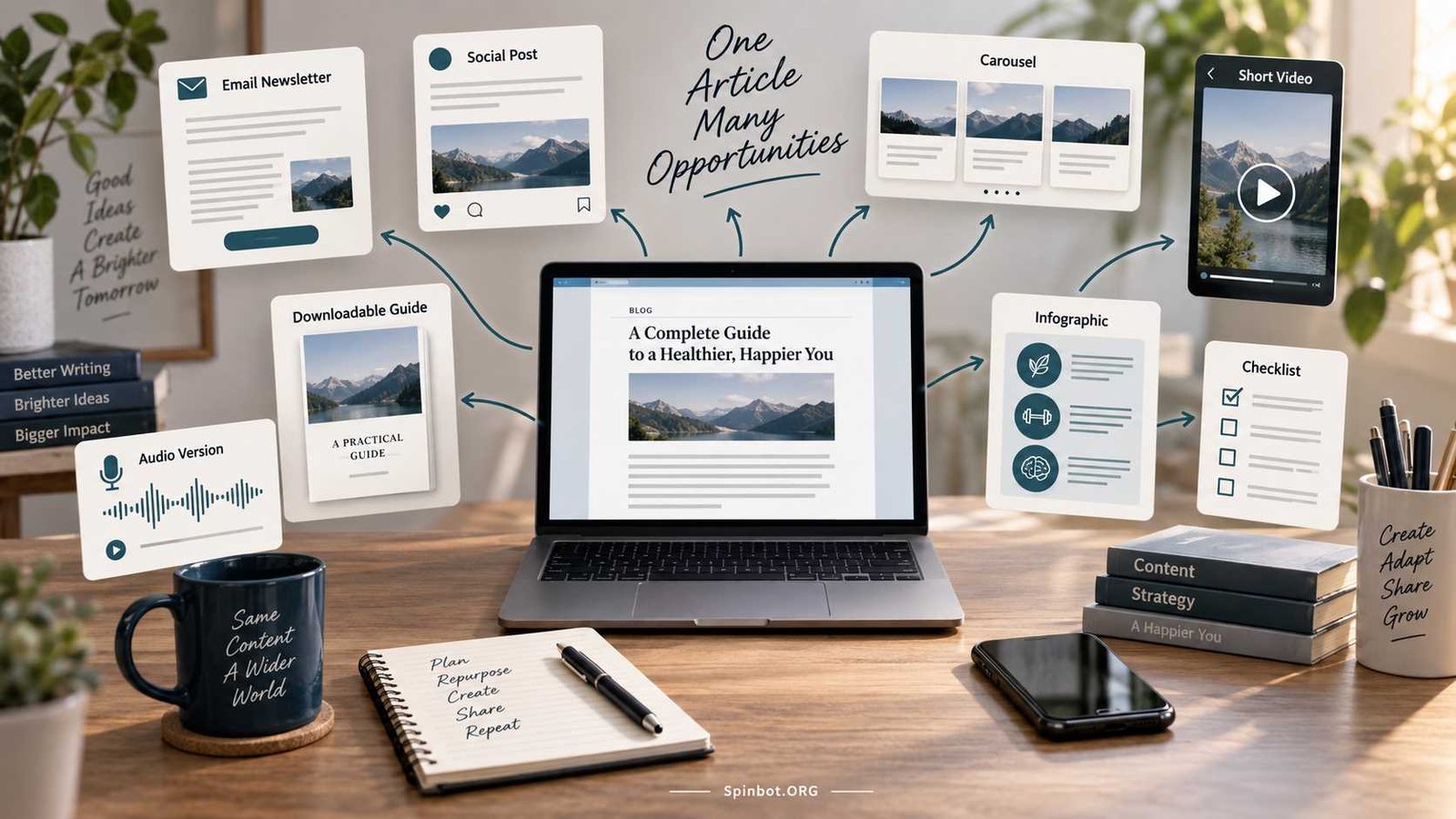
Content repurposing gives that work a second life. Instead of starting from a blank page every time you need an email, social post, video idea, or infographic, you reuse the strongest parts of content you have already created.
The key is not to copy the same article everywhere. Repurposing means adapting one useful idea into formats that make sense for different readers and platforms.
Shopify describes content repurposing as adapting existing content into different formats for use across multiple platforms. That simple definition captures the main idea: create once, then reshape thoughtfully.
What Does It Mean to Repurpose Blog Content?
Repurposing blog content means taking an existing article and turning parts of it into new content.
For example, a 2,000-word blog post might become:
- Five short social posts
- One email newsletter
- One carousel
- One infographic
- Two short video scripts
- One checklist
- One Q&A post
- One downloadable guide
The original article stays the main source. Each new piece uses part of its information in a form that better suits another channel.
That is different from copying an article word for word and publishing it again.
Repurposing vs. reposting
Reposting means publishing the same or almost the same content again.
Repurposing means changing the format, angle, length, or presentation so the content serves a new purpose.
Imagine you wrote a guide called “10 Ways to Improve Your Writing.”
You could repurpose it like this:
- Turn tip #1 into a LinkedIn post.
- Turn tips #2 to #5 into an Instagram-style carousel.
- Turn tip #6 into a 45-second video script.
- Combine tips #7 to #10 into an email.
- Create a printable checklist containing all 10 tips.
The ideas come from the same source, but each asset is built for a different use.
That distinction matters for readers and search engines. Google says some duplicate content is normal and is not a violation of its spam policies. However, when several URLs contain the same or very similar main content, Google may group them together and choose one representative canonical URL.
For bloggers, the practical rule is simple: don’t create several near-identical web pages when one strong page will do. Repurpose the ideas into genuinely different formats instead.
Start With the Right Blog Posts
You don’t need to repurpose every article you publish.
Some posts are much better candidates than others.
Start with content that has already shown signs of value.
Look for posts that:
- Receive steady search traffic
- Earn clicks from newsletters or social media
- Generate comments or questions
- Explain an evergreen topic
- Contain useful statistics, examples, steps, or lists
- Support an important product, service, or business goal
- Still match what your audience cares about
Shopify recommends starting with high-performing content rather than choosing old posts at random.
You can also look for a post that was excellent when published but has been forgotten. Updating it first may make it a much stronger source for repurposed material.
Use the 80/20 idea as a guide
You may have heard of the 80/20 rule in blogging.
It comes from the Pareto principle, which suggests that a relatively small share of inputs often creates a large share of results.
Bloggers sometimes apply it by noticing that a small group of articles generates a large portion of traffic, leads, or sales.
Don’t treat 80/20 as a fixed law. Your blog might be 70/30, 90/10, or something completely different.
The useful lesson is this:
Find the content that already does the most work and give it more opportunities to perform.
If five of your posts consistently bring visitors, those five deserve more attention than twenty posts nobody reads.
Repurposing lets you build on proven ideas instead of constantly guessing what to create next.
How to Repurpose Blog Content Easily
A simple system works better than collecting fifty random repurposing tricks.
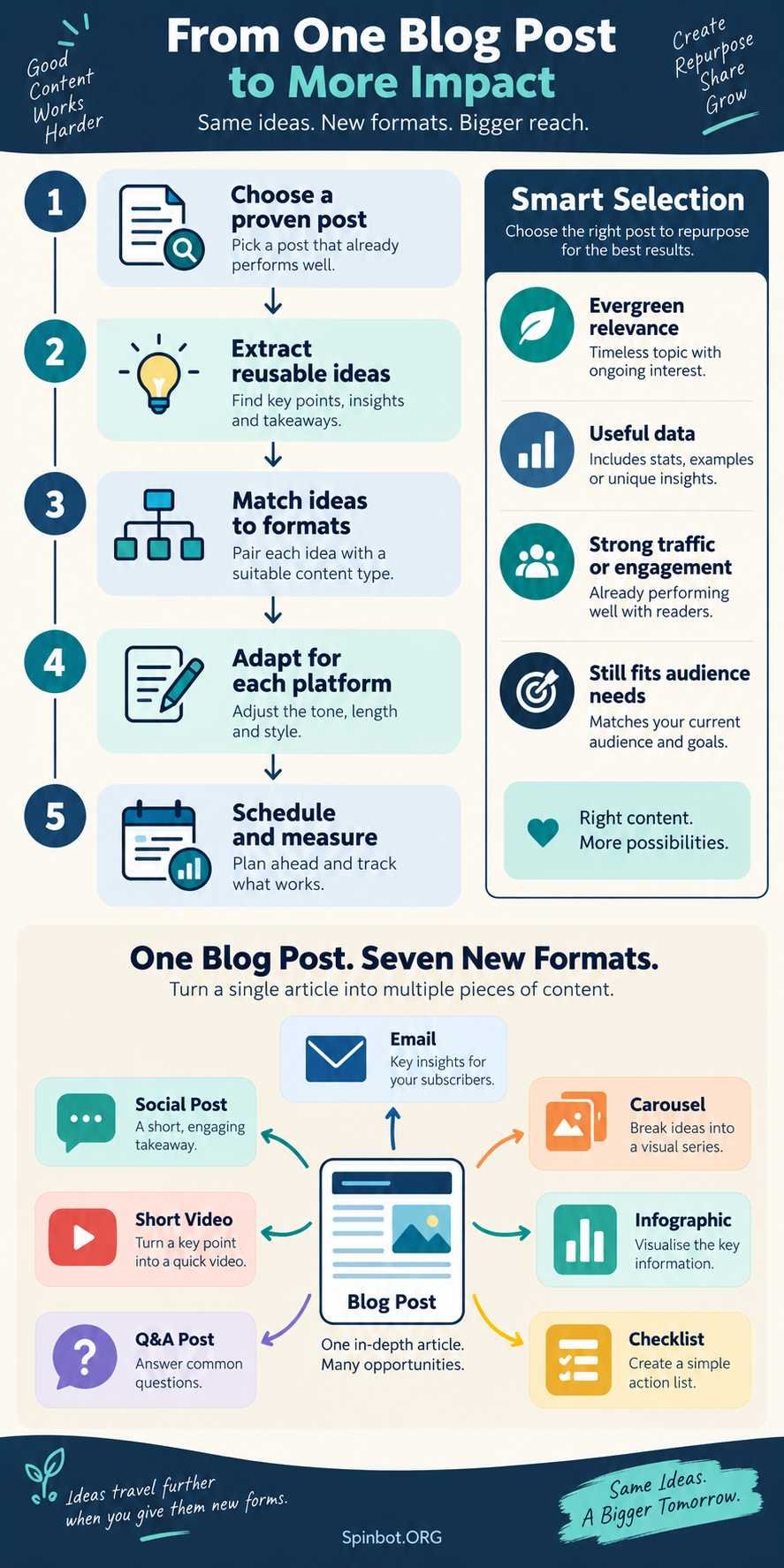
Use this five-step process.
Step 1: Choose one strong source post
Pick a post with a clear topic and useful information.
Avoid starting with an article that is:
- Outdated
- Thin
- Poorly researched
- No longer relevant
- Built around an expired event
- Receiving no engagement because the topic itself has little demand
If the article needs updating, refresh it first.
Check facts, links, screenshots, examples, product names, dates, and recommendations before using it as the source for more content.
Step 2: Extract the reusable pieces
Don’t look at the article as one large block of text.
Break it apart.
Most good blog posts contain smaller content units such as:
- Tips
- Steps
- Definitions
- Statistics
- Examples
- Mistakes
- Questions
- Comparisons
- Quotes
- Checklists
- Problems and solutions
Suppose your article is “12 Ways Freelance Writers Can Find Clients.”
You might pull out:
- Three mistakes beginners make
- Four cold-email tips
- One client-screening checklist
- Two pricing lessons
- Three common questions
- One example outreach message
You now have several possible pieces of content without researching a new topic.
Step 3: Match each idea to the right format
Not every idea works equally well everywhere.
A checklist might work well as:
- A carousel
- A printable PDF
- A social graphic
- An email section
A detailed explanation might work better as:
- A short video
- A newsletter
- A thread
- A follow-up article
A statistic could become:
- A graphic
- A short post
- An opening hook
- A video talking point
The goal is not to force every idea onto every channel.
Choose the format that makes the idea easier to understand.
Step 4: Adapt the content instead of copy-pasting
This is the part many people skip.
A blog paragraph usually should not become an Instagram caption unchanged.
A blog post may be detailed and search-focused. A social post often needs a faster opening. An email may need more context. A short video needs spoken language.
For example, your blog might say:
“Updating older articles can help keep information accurate and useful for readers.”
The same idea could become a short social post:
“Before writing your next article, check your old winners. Updating one proven post may be more useful than publishing another weak one.”
Same idea. Different delivery.
Step 5: Schedule and measure the results
Repurposing becomes easier when it is part of your normal publishing process.
After publishing a blog post, create a small distribution plan.
For example:
Day 1: Publish article
Day 2: Send email
Day 3: Publish social post
Day 5: Share carousel
Day 7: Publish short video
Day 10: Share checklist
Day 14: Revisit the strongest point from another angle
Then look at what happened.
Which format earned clicks?
Which generated replies?
Which brought visitors back to the article?
Which took too much effort for too little return?
Use those answers to shape your next repurposing cycle.
Easy Ways to Repurpose One Blog Post
You don’t need ten different tools or a full marketing team. Start with formats you can produce quickly.
1. Turn the post into an email
Summarize one useful lesson from the article instead of sending the whole thing.
Give readers enough value inside the email, then link to the full post if they want more detail.
2. Create several social posts
A single article may contain five or ten standalone ideas.
Each can become its own post.
Change the hook, example, or question so each post feels complete rather than chopped from a larger article.
3. Build a carousel
List posts and step-by-step guides work especially well for carousels.
You might use:
- Problem
- Key idea
- Step one
- Step two
- Step three
- Common mistake
- Final takeaway
Keep each slide focused on one point.
4. Create a short video script
Choose one idea that can be explained quickly.
A simple structure is:
Hook → problem → useful tip → example → next step
You don’t need to summarize the entire article in one video.
One strong section is enough.
5. Make an infographic
Infographics are useful when your post includes:
- A process
- Timeline
- Comparison
- Workflow
- Framework
- Set of statistics
Reduce the information to the parts readers need to understand the idea visually.
6. Turn steps into a checklist
A detailed tutorial can often become a one-page checklist.
For example, an article about editing a blog post could become:
- Check title
- Check introduction
- Remove repetition
- Verify claims
- Improve headings
- Check links
- Review grammar
- Add images
- Preview mobile layout
- Publish
That checklist can work in an email, social post, PDF, or image.
7. Turn headings into questions and answers
Your blog headings often reveal questions readers are likely to ask.
Convert those ideas into short Q&A posts.
A heading such as “How often should you update old content?” could become a standalone answer for a social post or newsletter.
8. Create a thread
Take a process or list and split it into a series of short connected posts.
Each part should still move the idea forward.
Avoid breaking ordinary sentences into ten pieces just to make the thread longer.
9. Create audio talking points
You don’t need a full podcast studio.
Use the article as a starting outline for:
- A short audio update
- Podcast segment
- Voice-over
- Webinar discussion
- Live-stream talking points
The writing should be adapted for speech rather than read word for word.
10. Build a downloadable mini-guide
Several related articles can also be combined into one larger resource.
For example, three blog posts about writing better introductions, headings, and conclusions might become a short “Blog Editing Checklist.”
This type of repurposing works especially well when the articles already belong to the same topic cluster.
Modern marketing tools increasingly support this kind of workflow. HubSpot’s current Content Remix feature, for example, can use existing content as a source and generate assets such as social posts, images, blog content, SMS messages, emails, podcasts, and other formats. HubSpot still provides editing steps before publishing, which is a useful reminder that generated variations should be reviewed rather than treated as finished work automatically.
One Blog Post Can Become a Week of Content
Here’s a simple example.
Imagine you publish:
“7 Ways to Write Better Blog Introductions”
You could repurpose it into a week of content:
Monday: Publish the complete blog post.
Tuesday: Send an email explaining the most common introduction mistake.
Wednesday: Create a social post around tip #1.
Thursday: Turn tips #2, #3, and #4 into a carousel.
Friday: Record a short video showing a weak introduction and an improved version.
Saturday: Publish a checklist containing all seven tips.
Sunday: Ask your audience which introduction they find hardest to write.
Notice what happened.
You didn’t publish the same text seven times.
You used one researched topic to create several related experiences.
That is efficient repurposing.
Where the 5-3-2 Social Media Rule Fits
The 5-3-2 rule is sometimes called an Instagram rule, but it is better understood as a general social-media content-mix framework.
For every ten posts, the framework suggests:
- 5 curated posts from useful external sources
- 3 original posts created by you
- 2 personal or humanizing posts
Hootsuite currently describes the framework this way and positions it as one possible method for balancing a social feed.
It is not a requirement, and you don’t need to follow those numbers exactly.
Repurposed blog material can help supply the three original posts.
For example, one blog article might give you:
- One original carousel
- One original tip post
- One original short video
The framework can be useful if it stops your feed from becoming nothing but self-promotion, but your actual mix should depend on your audience and goals.
Can Repurposing Help You Reach 1,000 Blog Views a Day?
It can help, but it cannot guarantee 1,000 views a day.
Daily blog traffic depends on many things:
- Search demand
- Search rankings
- Number and quality of published pages
- Backlinks
- Email audience size
- Social reach
- Topic selection
- Website authority
- Click-through rate
- Returning visitors
- Content quality
Repurposing helps mainly by improving distribution.
If you publish a blog post once and never mention it again, people have only a few ways to discover it.
If you later discuss its ideas in emails, social posts, videos, graphics, and related articles, you create more paths back to the original content.
That can increase exposure and referral traffic.
But there is no honest formula such as “repurpose each post five times and you will reach 1,000 daily visitors.”
Treat traffic as an outcome to measure, not a promise.
Common Repurposing Mistakes
Repurposing saves time only when it is done with some judgment.
Copying the same text everywhere
Different platforms have different reading habits.
Adapt the hook, length, tone, and format.
Repurposing weak content
Turning a poor article into ten smaller pieces gives you ten pieces of poor content.
Improve the source first.
Reusing outdated information
Old statistics, dead links, discontinued products, outdated screenshots, and changed recommendations can spread quickly when you repurpose content.
Check the source before multiplying it.
Creating too many versions
More content is not automatically better.
Three useful variations are better than fifteen forgettable ones.
Forgetting the audience
A blog reader, newsletter subscriber, and short-video viewer may want the same information presented differently.
Ask what makes the idea easiest to consume in that specific place.
Letting AI publish without review
AI can speed up extraction, summarization, drafting, and format conversion. Current tools already support turning source content into multiple asset types.
But AI can also remove context, introduce inaccurate wording, repeat itself, or produce generic copy.
Use it to accelerate the mechanical parts of repurposing. Keep human review for accuracy, usefulness, tone, and final judgment.
Build a Repurposing Habit You Can Maintain
The easiest repurposing system is not the one that produces the most content.
It is the one you can repeat.
Start small.
For every strong blog post:
- Pick three useful ideas.
- Turn one into an email.
- Turn one into a social post.
- Turn one into a visual or short video.
- Track which format performs best.
- Reuse the successful approach next time.
Once that becomes easy, add more formats.
Content repurposing works because a good idea rarely has only one useful form. A detailed blog post may be perfect for a search visitor, while the same core lesson may reach someone else through an email, carousel, video, or checklist.
So don’t think of publishing as the end of a blog post.
Think of the article as your source material.
Create the strongest version once, pull out what matters, adapt it carefully, and let one good piece of work keep earning attention in more than one place.

Raj blends SEO mastery with real-world freelance grit. Covers SEO, blogging, content strategy, copywriting, freelance writing, marketing, and business communication.