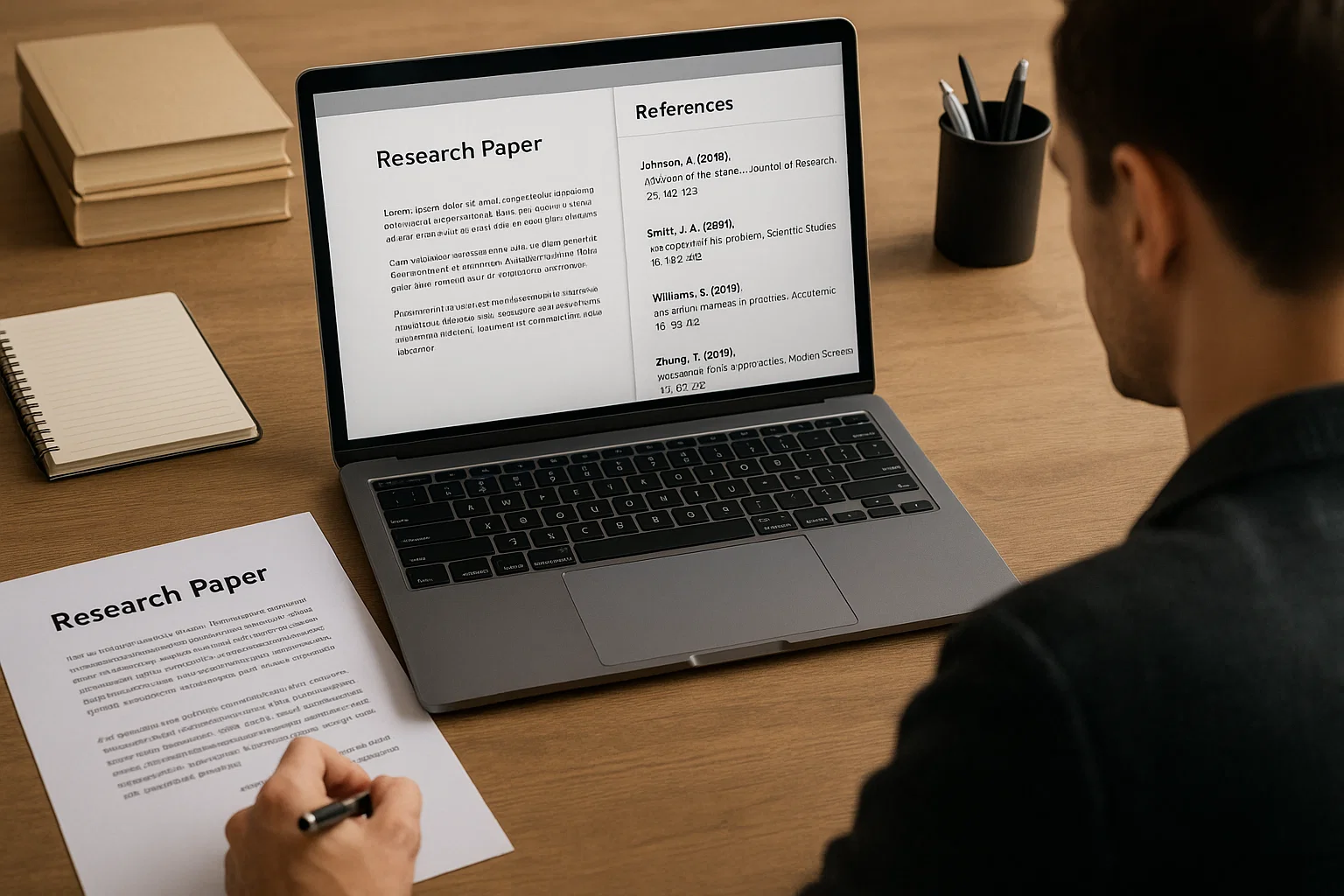
If you’ve ever stared at a half-finished research paper with a dozen tabs open and twenty citations to format, you know that referencing can turn even the calmest student into a caffeine-powered zombie. That’s where citation managers come in quiet little tools that collect, organize, and style your references while you focus on writing something that actually matters.
But when people say “use a citation manager,” the next question always follows:
Which one? Zotero, Mendeley, or EndNote?
Each promises the same thing effortless citation and reference management but the reality feels different once you dive in. So let’s unpack what makes them tick, where they shine, and who should actually use which.
Why Citation Managers Matter
Before comparing names, let’s step back. Why do citation tools matter at all?
Because research writing is 80% organization and 20% actual writing. The best reference manager doesn’t just save you time it keeps your sanity intact.
A good citation manager helps you:
- Store sources from websites, journals, and books in one click.
- Sync your library across devices.
- Generate citations automatically in APA, MLA, Chicago, or any style you like.
- Collaborate with peers on shared projects.
For students, it means fewer formatting errors.
For academics, it means consistency and traceability.
For freelance writers and bloggers, it means quick references that make content sound credible.
The Contenders at a Glance
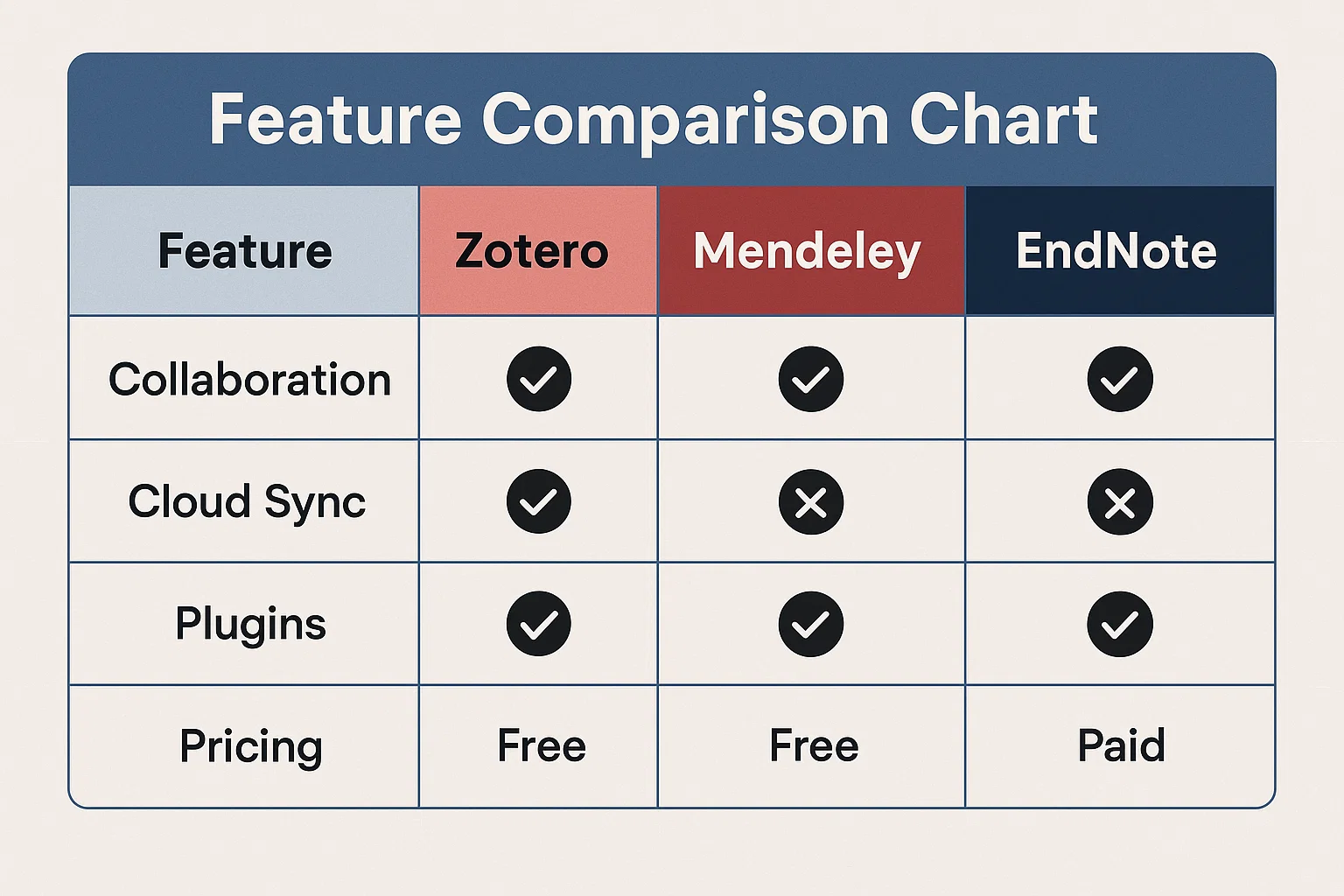
| Feature | Zotero | Mendeley | EndNote |
|---|---|---|---|
| Ownership | Independent (non-profit) | Elsevier (commercial) | Clarivate (commercial) |
| Platform Support | Windows, macOS, Linux | Windows, macOS, Web | Windows, macOS |
| Price | Free (with paid storage add-ons) | Free (limited), paid Pro plan | Paid (with institutional licenses) |
| Cloud Storage | 300 MB free, expandable | 2 GB free | 2 GB via EndNote Online |
| Browser Capture | Excellent (Zotero Connector) | Good (Web Importer) | Average |
| Word Processor Integration | Word, LibreOffice, Google Docs | Word, LibreOffice | Word only |
| Collaboration | Group libraries | Private groups | Shared libraries via EndNote Online |
| Mobile Apps | iOS app | Android & iOS | iPad app |
| Open-Source | ✅ Yes | ❌ No | ❌ No |
Zotero The Researcher’s Favorite
If citation managers were coffee, Zotero would be that reliable brew you make at home simple, open, and strong enough to get you through an all-nighter.
What Makes Zotero Shine
- Free and open-source. No paywalls or corporate agenda. Anyone can use it, modify it, and integrate it with new platforms.
- Browser integration. The Zotero Connector lets you grab citation data from a webpage or a PDF with a single click.
- Google Docs compatibility. Zotero’s Google Docs plug-in works surprisingly well a blessing for students and teams working in the cloud.
- Smart organization. You can tag, sort, and add notes to each reference, creating your own mini-database.
How It Feels in Real Life
Imagine writing a term paper at midnight. You find a promising journal article on JSTOR, click the little “Z” icon, and boom the citation appears in your library. Need to cite it? Click “Add citation,” pick your style, done.
No fancy subscriptions, no pop-ups. Just writing flow.
Where Zotero Falls Short
- Limited free storage. Only 300 MB of PDF syncing. You’ll need to upgrade (cheaply) or rely on Google Drive for big libraries.
- Occasional sync quirks. If you switch devices often, you might run into duplicate entries or missing attachments.
- Less polished UI. It’s functional but not flashy. Think academic utility, not design awards.
Best For
- Students who write frequently but can’t justify a paid tool.
- Researchers who love open-source software.
- Writers who use Google Docs or LibreOffice.
Mendeley The Social Research Hub
Mendeley was the darling of academia for years before Elsevier bought it in 2013. Despite that corporate ownership, it remains a solid blend of citation management and social networking for researchers.
What Makes Mendeley Stand Out
- Generous free storage (2 GB). Enough for hundreds of PDFs before you even think of upgrading.
- Powerful PDF viewer. Highlight, annotate, and comment directly on research papers.
- Collaboration made easy. You can share folders, notes, and highlights with peers great for research groups.
- Research discovery. Mendeley suggests papers based on your reading habits, almost like a Netflix for academics.
Everyday Use
Think of Mendeley as Zotero with a slightly more modern feel and built-in networking. You upload your PDFs, the software extracts metadata, and you can annotate like a digital notebook.
For lab teams or thesis partners, its shared libraries make group referencing painless.
What’s Not So Great
- Privacy concerns. Being owned by Elsevier, some users worry about data collection.
- Limited customization. You can’t tweak citation styles or metadata extraction as deeply as in Zotero.
- Reduced desktop features. The newer web-based Mendeley Reference Manager dropped some advanced tools found in older versions.
Best For
- Researchers collaborating online.
- Users who prefer a slicker interface.
- Students who value built-in PDF annotation and sharing.
EndNote The Powerhouse for Professionals
EndNote is the citation equivalent of a high-end espresso machine robust, precise, and expensive. It’s the industry standard for serious academics, research institutions, and publishers.
What Makes EndNote a Beast
- Advanced library management. Handle thousands of references without lag. Perfect for long-term research projects or books.
- Deep integration with Word. EndNote Cite-While-You-Write is still unmatched for complex formatting in massive documents.
- Customizable citation styles. Over 7,000 styles available and editable including journal-specific templates.
- Team synchronization. Share libraries with collaborators, maintain version control, and store references securely.
The Real-World Experience
Picture a PhD candidate working on a 300-page dissertation. EndNote’s library handles years of research smoothly, while its sync keeps files updated across desktops. It’s serious software for serious research.
The Catch
- Price. A single license can cost $100–$250. Institutions often provide it free, but that’s not an option for everyone.
- Learning curve. EndNote isn’t beginner-friendly. Expect to watch tutorials before mastering it.
- Limited online storage. EndNote Online offers just 2 GB unless you sync manually or through your institution.
Best For
- Graduate and doctoral researchers.
- Academics submitting to specific journals.
- Institutions that already include EndNote in site licenses.
Head-to-Head: What Each Does Best
| Category | Winner | Reason |
|---|---|---|
| Best Free Option | Zotero | 100% free and open-source. |
| Best for Collaboration | Mendeley | Easy group sharing and annotation. |
| Best for Power Users | EndNote | Handles massive libraries and complex citations. |
| Best for Cloud Sync | Mendeley | 2 GB free, seamless device sync. |
| Best for Google Docs Users | Zotero | Native integration and smooth operation. |
| Most Customizable | EndNote | Thousands of editable citation styles. |
| Easiest to Learn | Zotero | Intuitive and distraction-free. |
| Most Polished Interface | Mendeley | Modern design and built-in PDF viewer. |
The Benefits of Using Citation Managers
Regardless of brand loyalty, all citation tools save time and headaches. Let’s break down what you actually gain.
1. Time Efficiency
Automatic citation means no more hunting commas and parentheses. A single click formats a reference list in seconds.
2. Consistency
Manual formatting is error-prone. Citation software keeps every reference uniform a lifesaver for long documents.
3. Cloud Sync
Write on campus, review at home, continue on your phone. Your references follow you everywhere.
4. Collaboration
Shared libraries let multiple authors work seamlessly on one project without stepping on each other’s toes.
5. Discoverability
Mendeley and Zotero help you discover new papers through recommendations and metadata essentially turning your reading into research leads.
The Downsides No One Mentions
Of course, no tool is perfect.
- Learning curve. Each has menus, plug-ins, and sync setups that can overwhelm beginners.
- Style quirks. Sometimes the output citation still needs manual tweaks.
- Data lock-in. Moving libraries between platforms isn’t always smooth.
- Storage limits. Free plans are generous but not infinite.
Still, even with these drawbacks, citation managers make research far less painful.
What About Compatibility?
All three work with Microsoft Word, but only Zotero supports Google Docs natively.
If you’re deep in Microsoft 365 or institutional publishing systems, EndNote feels more natural.
For Mac users or Linux fans, Zotero again wins for platform flexibility.
On mobile, Mendeley leads with apps for both Android and iOS, while Zotero’s iOS app is improving but still catching up.
Pricing Breakdown (2026)
| Tool | Free Plan | Paid Plan | Key Limit |
|---|---|---|---|
| Zotero | Yes (300 MB) | $20/year for 2 GB, $120/year for unlimited | Storage only |
| Mendeley | Yes (2 GB) | Pro plans (pricing varies by region) | Extra storage & collaboration |
| EndNote | Trial only | $100–$250 one-time license | Full features require license |
For most students, Zotero’s free plan is enough. Mendeley suits small research teams, and EndNote makes sense when your institution pays the bill.
My Take: Which One Should You Use?
Let’s be real the “best” tool depends on who you are.
If You’re a Student or Beginner
Start with Zotero.
It’s free, fast, and integrates easily with browsers and Google Docs.
You’ll learn the logic of reference management without dealing with subscriptions.
If You’re a Researcher or Academic Collaborator
Go for Mendeley.
Its social layer, PDF annotation, and research recommendations make it perfect for group projects and ongoing studies.
If You’re a Professional Academic or Editor
Invest in EndNote.
It handles massive projects, journal-specific formats, and advanced citation structures better than anything else.
Real-World Example
Dr. Marianne Lee, a neuroscience researcher, shared that her lab switched from EndNote to Zotero because “the students could install it instantly, share folders, and sync PDFs without IT approval.”
Meanwhile, a postgraduate engineering team at Imperial College London still uses Mendeley because “its group sharing fits perfectly with lab-based research.”
Different needs, different winners and that’s the beauty of choice.
Tips to Get the Most Out of Any Citation Manager
- Back up your library. Even the cloud fails sometimes. Export a BibTeX or RIS file monthly.
- Master citation styles early. Knowing how APA differs from MLA helps you catch small errors fast.
- Tag and note. Add personal notes to each source your future self will thank you.
- Sync before deadlines. Nothing hurts like lost annotations ten minutes before submission.
- Update regularly. Citation styles evolve; software updates keep them accurate.
The Future of Citation Tools
AI is quietly transforming reference management.
Zotero is already experimenting with GPT-powered “Zotero Assistant,” and tools like Scholarcy and Elicit are bridging AI summarization with citation systems.
We’re heading toward a future where citation managers do more than organize papers they’ll summarize, connect, and recommend literature intelligently.
Still, the core mission remains timeless: help writers focus on ideas, not formatting.
Final Reflection
When comparing Zotero vs Mendeley vs EndNote, remember the best citation manager isn’t the one with the fanciest interface; it’s the one that keeps you writing instead of wrestling with references.
If you love open-source and freedom, go Zotero.
If you thrive in collaborative research, go Mendeley.
If you live and breathe academic publishing, go EndNote.
Whichever path you choose, these tools exist for one reason: to make your work cleaner, faster, and far more focused on the ideas that truly matter.

Covers AI writing tools, large language models, prompt engineering, AI detection, and practical AI writing workflows for Spinbot.ORG.