
Picture this: you’re staring at a blank Google Doc, coffee cooling, cursor blinking like it’s mocking you. You know what you want to write about sort of but the words refuse to cooperate. Every idea feels half-baked, every outline messy.
Now imagine typing one line into an AI tool “Write a blog outline about eco-friendly fashion for small brands” and watching it instantly generate a structured roadmap with catchy sub-headings, flow, and even content gaps to fill. Suddenly, that blank page becomes a launchpad.
That’s what using AI for blog outlines and ideation can do: turn creative chaos into organized clarity without killing your unique voice.
Let’s unpack how to do this right ethically, efficiently, and creatively.
Why AI Belongs in Your Blogging Workflow
The truth? Most of us don’t need more ideas; we need better ones and faster. AI tools like ChatGPT, Jasper, and Notion AI excel at exactly that: connecting dots you might miss when your brain’s running on caffeine and deadlines.
Using AI doesn’t replace your creativity. It amplifies it. Think of it like having a brainstorming buddy who never sleeps, never judges, and always has a fresh perspective.
How AI Changes the Game
- Faster brainstorming: Generate 10–20 topic ideas in seconds.
- Smarter structure: Draft clean, SEO-ready outlines automatically.
- Idea validation: Compare variations and pick the one with the most reader potential.
- Overcoming writer’s block: Get unstuck anytime, anywhere.
AI brings creative momentum and momentum is everything when you write consistently.
Is It Okay to Use AI for an Outline?
Absolutely. Using AI for an outline is like using Google Maps for a road trip you’re still the driver, but you’re not guessing every turn.
What matters is how you use it. An outline should guide, not dictate. Let AI suggest structure, but layer in your own experience, tone, and nuance.
Example:
If the AI gives you:
- Introduction to eco-friendly fashion
- Benefits of sustainable materials
- Top 5 brands using recycled fabric
- Challenges in sourcing
- Future of green fashion
Don’t just copy it reshape it. Maybe you combine points 2 and 4, add a case study you know, or flip the order to tell a better story.
That human-AI remix is where magic happens.
The Sweet Spot Between Efficiency and Originality
AI can hand you a skeleton, but only you can give it a heartbeat.
When people worry about “AI killing creativity,” they’re often using it wrong copy-pasting rather than co-creating. The sweet spot is somewhere in the middle:
| AI Does | You Do |
|---|---|
| Suggests structure & keywords | Add emotion & storytelling |
| Lists talking points | Choose what matters to your audience |
| Spots trends fast | Bring firsthand insight |
| Writes generic intros | Rewrite with personality |
Used properly, AI isn’t a crutch it’s a catalyst.
How AI Finds Blog Ideas You Might Miss
Let’s face it: we all tend to think in loops. You probably brainstorm from your usual mental list “top 10 tips,” “how-to guides,” “mistakes to avoid.”
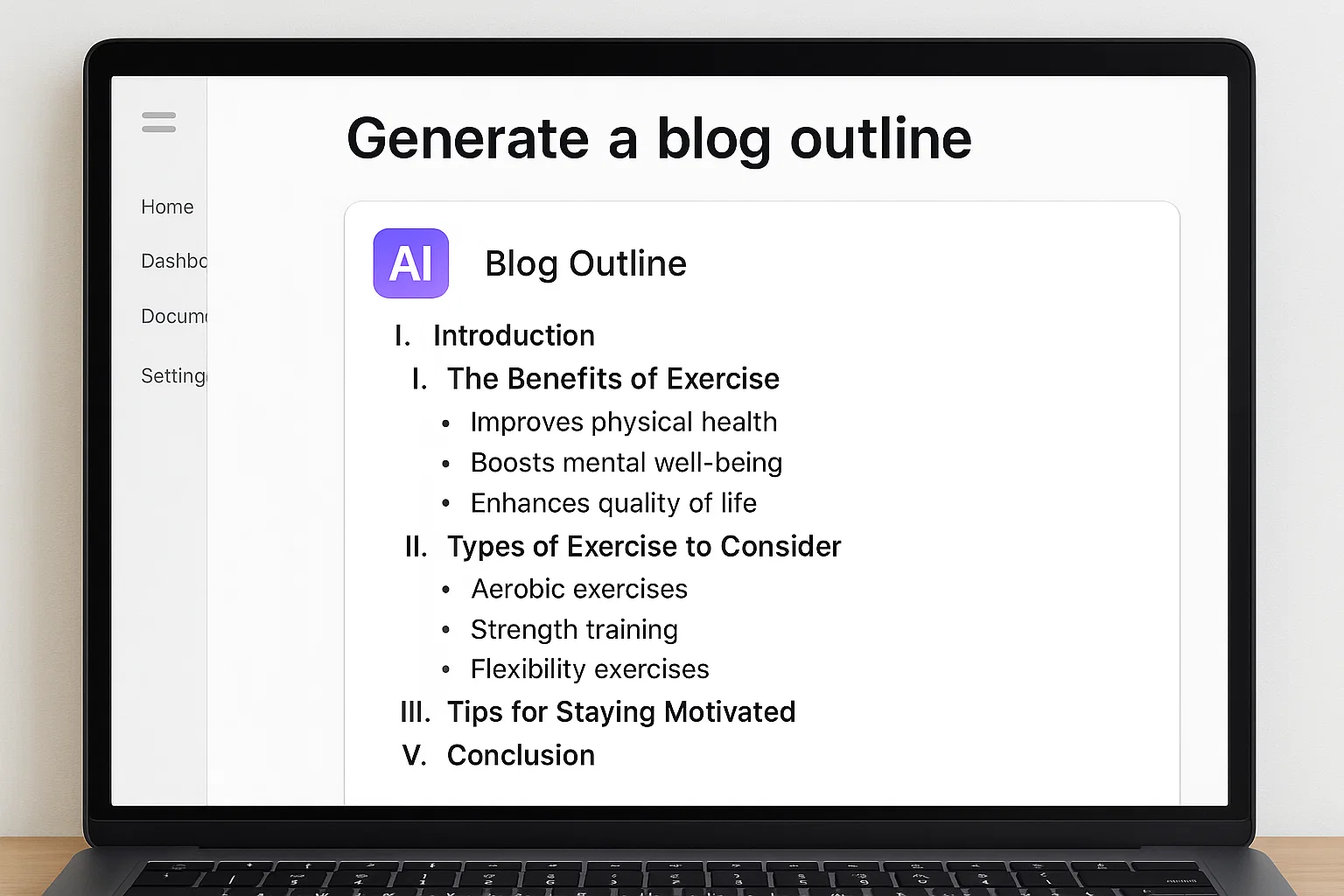
AI tools break that loop by scanning patterns from millions of articles, comments, and questions online. They notice angles we overlook micro-niches, emotional hooks, questions people actually ask.
Try This Prompt
“Suggest 20 fresh blog topics about [insert your niche] that focus on problems readers struggle with but rarely talk about.”
Boom. You’ll get ideas you didn’t even know existed. Then prune, merge, and refine until a few gems remain.
What Is the Best AI Tool for Blogs?
Here’s a breakdown of top performers for ideation and outlining:
| Tool | Best For | Strengths |
|---|---|---|
| ChatGPT (GPT-5) | Flexible ideation & outlines | Conversational, context-aware, free-flowing |
| Jasper AI | Marketing-focused blogs | Prebuilt frameworks, tone control |
| Notion AI | Writers & teams | Integrated with notes & docs |
| Copy.ai | Fast content creation | Speed + social post integration |
| Writesonic / WordHero | Budget creators | Templates for blogs & ads |
For deep ideation, ChatGPT remains unbeatable it adapts to your tone, remembers context, and can refine outputs endlessly.
Pro Tip: pair it with Google Trends, Answer the Public, or Semrush Topic Research for data-driven validation.
How to Create an Outline for a Blog with AI
Let’s walk through a practical workflow you can replicate.
Step 1 – Clarify Your Goal
Tell the AI why you’re writing. Example:
“I want to create a beginner-friendly guide that helps freelancers find new clients.”
This sets tone, audience, and intent.
Step 2 – Give Context
Add 2–3 sentences describing your niche and style.
“I write conversational, educational content for solopreneurs. The tone is friendly and direct.”
Step 3 – Ask for the Outline
“Create a detailed 10-point outline for a 1500-word blog post about finding clients as a freelancer. Include SEO headings and examples.”
AI will output a full structure.
Step 4 – Refine Manually
Cut what’s generic, reorder sections, and sprinkle your voice.
Step 5 – Validate with Search Intent
Run key headings through Google. See what ranks. Does your outline answer those same questions or something better?
That mix of human intuition + AI speed = strategic content planning.
AI Ideation Framework You Can Steal
Here’s a system I teach freelance writers and agencies:
- Brainstorm: Ask AI for 100 topic ideas on your niche.
- Cluster: Group similar ideas (SEO topic clusters).
- Filter: Delete generic ones; keep unique angles.
- Validate: Check search volume via Semrush or Ahrefs.
- Outline: Ask AI to build structure for the top 5 ideas.
- Humanize: Add examples, stories, and voice.
- Schedule: Turn each outline into a month-long content calendar.
It’s efficient, scalable, and still deeply personal.
Real-World Example: A Writer’s Breakthrough
One of my coaching clients, a lifestyle blogger, felt stuck recycling “10 Ways to …” headlines. I had her prompt ChatGPT:
“Generate 20 fresh blog ideas about work-life balance that avoid listicle formats and focus on emotional insight.”
The AI returned gems like “Why You Feel Guilty Resting (And How to Fix It)” and “The Myth of Constant Hustle.” She picked two, built outlines, added stories and her traffic doubled within a month.
AI didn’t write for her; it sparked what she couldn’t see alone.
How to Train AI to Think Like You
AI tools get smarter when you give them patterns. Try “few-shot prompting”: feed it 3 examples of your style, headings, and transitions, then ask for a new outline.
Prompt Example:
“Here are three sample outlines I’ve used for my travel blog. Notice the tone, structure, and flow. Now create a new outline for ‘Budget Travel in Japan’ using the same style.”
Suddenly, your AI assistant sounds like you.
The Human Layer Still Matters
AI knows trends but not feelings. That’s your superpower.
When writing from an AI outline:
- Insert your own experiences (“When I first tried this tool…”)
- Share lessons learned from failures
- Add micro-stories and real quotes
- Show opinion, not neutrality
Readers connect with honesty, not perfection.
How to Avoid Generic AI Content
Here’s a quick checklist:
✅ Rewrite intros/outros.
AI tends to open with “In today’s world of digital marketing…” Delete that. Start personal.
✅ Add specifics.
Replace “business owners” with “freelance graphic designers.”
✅ Use real numbers.
“Content planning can save up to 30 hours a month” sounds credible because it’s verifiable.
✅ Change sentence rhythm.
Mix short, long, and emphatic sentences.
✅ Read out loud.
If it sounds robotic, rewrite until it doesn’t.
AI + SEO = Blog Success Combo
Search engines now prioritize helpful content, not just keyword density. That’s where AI can help if you guide it well.
Prompt:
“Generate an SEO-optimized outline for ‘best remote team tools’ that uses semantic keywords and answers search intent.”
AI can produce headings like:
- Why remote teams fail without the right tools
- Comparison table of popular platforms
- Productivity tips from real remote leaders
Then you polish it with your own examples and data.
The Ethics of AI Ideation
Some writers fear that using AI is “cheating.” It’s not unless you pretend AI’s work is your own.
Ethical AI writing means:
- You direct the creative vision.
- You verify facts.
- You rewrite outputs in your voice.
- You credit data sources properly.
In short: AI can inspire you, but it can’t replace you.
How AI Tools Boost Collaboration
In teams, AI makes brainstorming less chaotic. Imagine five writers debating ideas. Now feed their notes into an AI and say:
“Summarize key themes and turn them into a weekly blog calendar.”
Instant clarity. It’s like having a neutral moderator who remembers everything and organizes it beautifully.
Tools like Notion AI and ClickUp AI are excellent for this.
How AI Improves Creative Confidence
AI can make you more confident as a writer because it eliminates the fear of the blank page. When you see a draft outline in front of you, you’re free to focus on tone and storytelling instead of structure.
It’s like building with LEGO AI gives you the pieces; you decide what castle to build.

Common Mistakes to Avoid
Even smart creators trip up when using AI. Watch for these traps:
- Over-prompting – flooding the AI with too many details and confusing it.
- Skipping review – publishing raw outputs without editing.
- Losing voice – letting the AI sound generic and soulless.
- Ignoring updates – not keeping up with new AI features.
- Neglecting data privacy – pasting sensitive client info into AI tools.
Be mindful, and AI will serve you not the other way around.
Human + AI Workflow Template
Before Writing:
- Gather keyword data.
- Ask AI for 20 ideas.
- Validate and pick one.
During Writing:
- Request a draft outline.
- Rewrite headings.
- Expand sections manually.
After Writing:
- Use AI for grammar & tone checks.
- Generate meta description.
- Proofread yourself.
That’s AI assistance without dependence.
Advanced Prompt Recipes for Better Outlines
Try these ready-to-use prompts:
- “Give me a blog outline on [topic] that starts with a personal hook and ends with actionable steps.”
- “List 5 emotional angles for a blog about [topic].”
- “Generate three alternative outline structures (chronological, problem-solution, story-driven).”
- “Rework this outline for readers at a 5th-grade level.”
- “Suggest statistics and examples to add credibility to this outline.”
Prompting is a skill. The better you ask, the better AI answers.
Why AI Can’t Replace Human Emotion
Machines understand patterns, not purpose. They can outline a story about loss but they can’t feel it.
That’s your edge. Your stories, failures, and small victories give your blog heart. AI is the tool; you’re the soul.
The Future of AI Blogging
By 2025 and beyond, AI tools will evolve from text generators to content strategists analyzing search trends, predicting reader intent, and suggesting formats (video, carousel, interactive).
But no matter how smart AI gets, the demand for authentic human storytelling will only grow. People don’t just want information they want connection.
So the writers who win won’t be the ones who avoid AI they’ll be the ones who learn to dance with it.
Takeaway
Using AI for blog outlines and ideation is no longer a “hack” it’s a modern writing skill. When you combine AI’s efficiency with your creativity, you get the best of both worlds: speed and soul.
Start with a clear prompt. Let AI build a scaffold. Then fill it with your own experience, data, and voice. That’s how you turn machine output into memorable human content.
And the next time that cursor blinks mockingly? Smile. You’ve got an AI co-pilot now and together, you’ll never run out of ideas again.

AI writing strategist with hands-on NLP experience, Liam simplifies complex topics into bite-sized brilliance. Trusted by thousands for actionable, future-forward content you can rely on.