
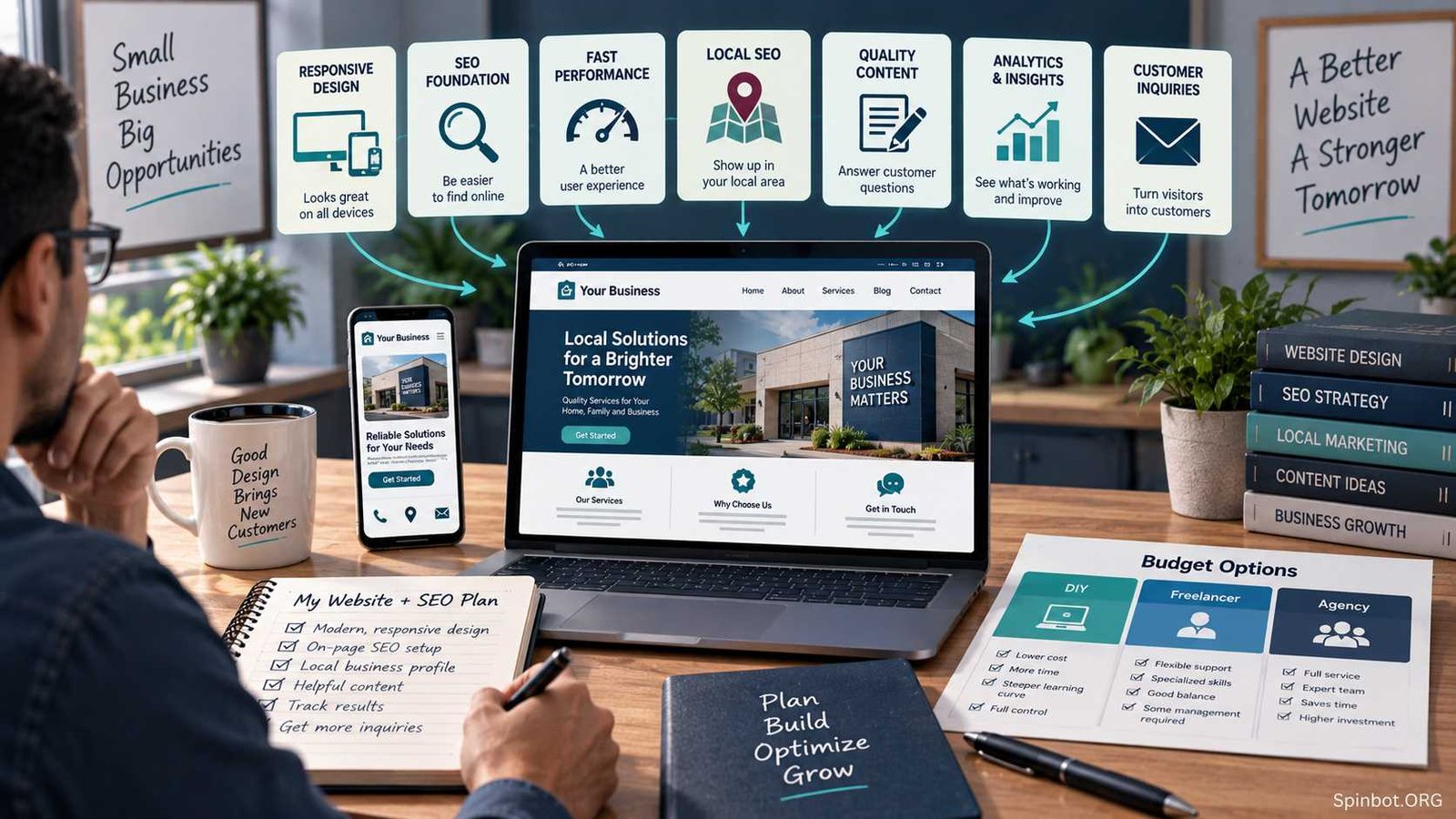
That sounds obvious, yet many businesses pay for those jobs separately. First comes a polished website. Months later, someone notices that it gets little search traffic, so SEO work begins. Pages are renamed, URLs change, content gets rewritten, navigation is rebuilt, and sometimes parts of the site have to be developed again.
Affordable web design and SEO for small business works better when the two are planned together from the start. You don’t need the most expensive agency, a huge software stack, or dozens of pages. You need a website built around how customers search, what they need to know, and what action you want them to take.
What Affordable Web Design and SEO Really Means
Affordable doesn’t have to mean cheap.
A cheap website can become expensive if it loads slowly, hides important services behind confusing navigation, cannot be edited easily, or needs rebuilding before serious SEO work can begin.
A genuinely affordable approach focuses spending on the parts that affect both customers and search visibility.
For most small businesses, that means:
- a clear site structure
- mobile-friendly pages
- useful service content
- sensible page URLs
- clear contact information
- basic technical SEO
- local SEO where relevant
- performance tracking
- a website the owner can update without calling a developer for every small change
Web design with SEO is simply the practice of considering those search requirements while the website is being designed rather than treating SEO as an add-on later.
Google describes SEO as helping search engines understand your content while helping people decide whether they should visit your site. That is a useful way to think about the relationship between design and SEO: search gets the right person to the page, while the page has to make sense once they arrive.
Your Website Does Not Need to Be Complicated
Small-business owners often overestimate how much website they need.
A local accountant, electrician, cleaning company, consultant, or repair business may not need 50 pages. A smaller site with well-written pages for the services people actually search for can be far more useful than a large site filled with thin or repetitive content.
A practical website might include:
- Home
- About
- Main Services
- Individual pages for important services
- Areas Served, where appropriate
- Contact
- Helpful articles or resources when they support customer questions
The exact structure depends on the business, but each important page should have a purpose.
If you offer emergency plumbing, boiler repair, drain cleaning, and bathroom installation, hiding all four services inside one vague Services page may limit what both customers and search engines can understand.
Giving major services their own useful pages creates room to explain what you offer, who it is for, where you provide it, what problems it solves, and what the customer should do next.
That is both a design decision and an SEO decision.
Mobile Design Is Part of the Basic Requirement
A website should work comfortably on a phone without forcing the visitor to zoom, fight with menus, or hunt for a phone number.
For many small businesses, mobile usability directly affects leads. Someone looking for a locksmith, café, dentist, contractor, or nearby repair service may be searching from a phone and ready to act immediately.
Responsive design, which adapts a page to different screen sizes, is now a normal part of professional web development rather than a premium extra.
The same logic applies to speed. A visually impressive site can still frustrate users if it loads slowly because of huge images, unnecessary scripts, animations, plugins, or an overloaded theme.
Google continues to use page-experience signals as part of its broader search systems, while also making clear that no single technical metric guarantees high rankings. In other words, performance matters, but chasing a perfect score while neglecting useful content is the wrong tradeoff.
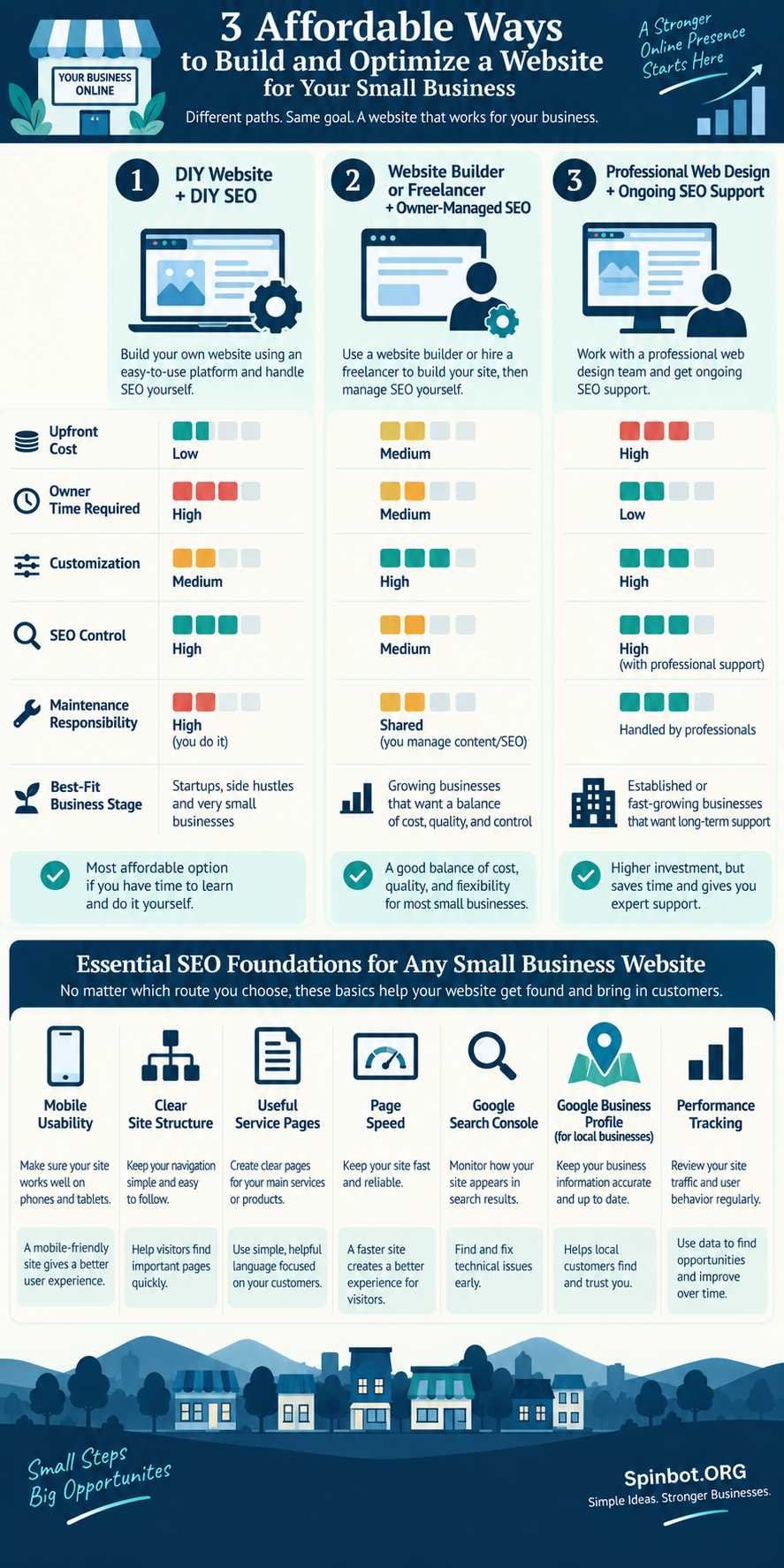
Three Affordable Ways to Build Your Website
There is no single cheapest route for every business. The better question is how much money, time, control, and technical work you are willing to take on.
| Approach | Upfront Cost | Owner Time | Customization | SEO Control | Best Fit |
|---|---|---|---|---|---|
| DIY website + DIY SEO | Low | High | Medium | High | New or very small businesses |
| Builder/freelancer + owner SEO | Medium | Medium | Medium to high | High | Growing local businesses |
| Professional design + SEO support | Higher | Low to medium | High | High | Competitive or established businesses |
DIY Website and DIY SEO
This is the lowest-cost route in cash terms.
You choose a website platform, set up the pages, write the content, connect analytics tools, handle local SEO, and improve the site over time.
DIY SEO for small business can work particularly well when the owner understands the customers better than an outside marketer does.
You probably already know questions such as:
- What do customers ask before buying?
- Which services make the most money?
- Which towns do you actually serve?
- What worries customers before contacting you?
- What terms do customers use for the problem?
That knowledge is valuable SEO input.
The weakness of DIY is rarely access to information. It is time.
A business owner may start with good intentions, optimize three pages, publish two articles, and then stop for six months because customer work takes priority.
DIY therefore makes most sense when the site is small and you can commit a few regular hours to maintaining it.
Freelancer or Website Builder With Owner-Managed SEO
This is often the best middle ground.
A freelancer can handle the design, responsive layout, development, navigation, forms, templates, and technical setup. You can then manage simpler SEO tasks such as service-page improvements, articles, internal links, reviews, and Google Business Profile updates.
The key is making sure the developer understands SEO fundamentals before the site is built.
Ask about page titles, headings, URLs, redirects, indexability, mobile design, page speed, sitemaps, and Search Console.
A beautiful site built without those basics can create extra work later.
Professional Web Design With SEO Support
Hiring one provider for both web design and SEO can make sense when search is important to revenue and the market is competitive.
A law firm competing across a city, for example, has different needs from a one-person consultancy getting most business through referrals.
Professional support becomes more useful when you have:
- many services
- several business locations
- an ecommerce operation
- an old website being migrated
- significant existing organic traffic
- strong local competition
- hundreds of pages
- multiple people updating the site
The cheapest provider is not automatically the best value. With an established site, a careless redesign can damage URLs, links, content, tracking, and search visibility.
Where DIY SEO Makes Sense
You do not need to outsource every SEO task.
Several useful jobs are realistic for a small-business owner.
Improve Existing Service Pages
Read each important page from a customer’s point of view.
Does the page clearly explain what you provide? Does it answer common questions? Does it mention the location when location matters? Is the next step obvious?
A page written mainly around a keyword usually feels thin. A page written around the customer’s decision naturally gives search engines more context too.
Use Search Console
Google Search Console is free. It can show which queries cause your site to appear in Google Search, which pages receive clicks, whether Google can crawl and index the site, and whether Google has detected certain problems.
That makes it one of the first SEO tools for small business I would set up before paying for specialist software.
Suppose your plumbing page receives many impressions for water heater repair but relatively few clicks. That information can lead to a useful decision: perhaps the service deserves a stronger section, clearer title, or dedicated page.
Now you are working from your own search data rather than guessing.
Strengthen Internal Links
If you publish an article about choosing a commercial cleaning schedule, it should naturally link to your commercial cleaning service page.
Internal links help readers move through the website and give search engines more context about how pages relate to each other.
You do not need an advanced tool to start doing this well.
Handle Basic Local SEO
For a business that serves customers in a physical area, your Google Business Profile deserves attention.
Google says local results are mainly influenced by relevance, distance, and prominence. It also recommends accurate business details, proper categories, current hours, reviews, photos, and complete profile information.
You cannot control distance, but you can improve the accuracy and usefulness of the information Google and customers see.
Where Saving Money Can Backfire
Some web and SEO shortcuts look inexpensive only because the cost appears later.
Changing URLs During a Redesign
Imagine an established roofing company has a page at:
example.com/roof-repair
A designer rebuilds the website and changes it to:
example.com/services/residential-roofing-repairs
That may be a reasonable new URL, but the old address should not simply disappear.
Google’s site-migration guidance recommends mapping old URLs to their new destinations and setting redirects during URL-changing moves.
Without that work, old links and search signals can point to dead pages.
This is exactly the type of technical detail worth paying a competent developer or SEO specialist to handle.
Creating Dozens of Thin Location Pages
A business serving ten nearby towns may be tempted to create ten pages by replacing the town name in otherwise identical text.
That is rarely useful to customers.
Location pages should exist because there is meaningful location-specific information to provide, not simply because a keyword tool shows a town name.
Buying SEO Before Fixing the Website
Paying every month for keyword reports does little good if customers cannot understand your services, the contact form is broken, important pages are missing, or the site takes forever to load.
Fix the foundation first.
A Lean SEO Tool Stack Is Usually Enough
SEO software can become its own expense category surprisingly quickly.
For a small site, you usually do not need five subscriptions measuring the same keywords and backlinks.
Start with what solves a real problem.
A sensible basic stack might include:
- Google Search Console for search queries, clicks, impressions, crawling, and indexing information.
- Google Business Profile for local presence when your business qualifies.
- Your website analytics platform for understanding what visitors do after arriving.
- A website SEO plugin or built-in CMS features for titles, descriptions, sitemaps, and basic page controls.
- One research platform, only if ongoing keyword, competitor, or backlink research justifies the expense.
That is enough for many small businesses.
What About AI SEO Tools for Small Business?
AI SEO tools can save time, particularly with repetitive work such as:
- grouping related keyword ideas
- summarizing Search Console exports
- drafting content outlines
- identifying missing questions
- suggesting title variations
- organizing content briefs
- helping revise unclear copy
They are less reliable when treated as automatic strategy machines.
An AI tool does not know that a service is unprofitable, that you no longer serve a certain town, that one type of customer frequently cancels, or that a particular lead is worth ten times another unless you give it that context.
The useful model is human judgment supported by AI, not SEO strategy handed over to AI.
Also be careful with mass-generated pages. Publishing large quantities of weak, repetitive content because software makes it cheap is not the same as building search visibility.
Buy AI SEO software when it removes a genuine bottleneck. Do not buy it just because AI has been added to the product name.
What to Ask Before Hiring a Web Designer or SEO Provider
Before signing a contract, get clear answers to a few practical questions.
Who owns the domain?
It should be registered in an account you control.
Who owns the hosting account?
You should know where the website lives and how to access it.
Will I receive administrator access?
Avoid arrangements where your business becomes dependent on one provider for basic access.
What SEO is included in the build?
Ask about titles, heading structure, URL planning, redirects, mobile design, indexing, sitemaps, Search Console, image optimization, and basic performance work.
Who writes the content?
A designer may design pages beautifully without being responsible for service-page copy.
What happens to existing URLs?
This matters greatly during redesigns.
What happens if I stop paying the monthly fee?
Know which services, software licenses, hosting, content, or reporting will disappear.
How will progress be measured?
Rankings can be useful, but they should not be the only measure. Search impressions, relevant clicks, enquiries, calls, bookings, and sales are closer to business outcomes.
Be cautious with anyone promising guaranteed first-place rankings. Google’s own Business Profile guidance says there is no way to request or pay Google for a better local ranking.
Match the Budget to the Business
The right setup depends on where the business is now.
A new solo consultant with referrals coming in may be perfectly well served by a simple five-page website, clear service copy, Search Console, and basic DIY SEO.
An established local HVAC company with an outdated site might get better value from paying for a professional redesign while keeping ongoing content and profile updates in-house.
A company operating across several cities with dozens of services has a different problem. Its website architecture, redirects, local pages, tracking, content production, and technical maintenance can become complicated enough that specialist SEO support saves more time and risk than it costs.
That is why asking for the cheapest web design and SEO package can lead you toward the wrong answer.
The better question is:
What is the simplest setup that can support the way this business actually gets customers?
Build the Cheapest Website You Won’t Need to Rebuild
Affordable web design and SEO for small business is not about squeezing every expense down to zero. It is about avoiding money spent twice.
Put your first dollars into a clean website structure, useful service pages, mobile usability, sensible URLs, reliable hosting, local information, basic technical SEO, and measurement.
Handle simple SEO yourself when you have the time and knowledge. Pay for specialist help when mistakes would be costly, especially during redesigns, migrations, complex technical work, or competitive growth.
And keep the software stack small. Google Search Console, your local business profile, good website data, and one useful research tool can take a small business surprisingly far.
A modest website built around real customers and maintained consistently will usually serve you better than an expensive design followed by an SEO rescue project six months later.

Raj blends SEO mastery with real-world freelance grit. Covers SEO, blogging, content strategy, copywriting, freelance writing, marketing, and business communication.